If your wrist aches by mid-afternoon, the cheapest thing you can change is the pair of objects your right hand touches for seven hours a day. An ergonomic mouse and pad is the least glamorous upgrade on a desk and the only one that alters your forearm angle every minute you work. This guide compares five picks — three ergonomic mice and two wrist-support surfaces — and says which combination is worth buying, which is marketing, and when the honest answer is to buy nothing.
The top pick is the Logitech Lift, a 57-degree vertical mouse its own listing says fits small to medium right hands. Below it sit an index-finger trackball for a shoulder that aches rather than a wrist, a $26.99 vertical mouse that makes the same postural change for less than half the money, a two-piece gel and foam set that supports the typing hand too, and a $19.99 sloped pad. Prices run from $19.99 to $64.79, so the whole range of an ergonomic mouse and pad decision is covered rather than just the expensive end.
Every pick was chosen on published specification, owner rating count and price read from the live Amazon listing, plus the official guidance that governs desk work in Britain and the United States — which, as the US vs UK section shows, disagree about whose job any of this is. Links go to Amazon.com; UK readers can search the same models on Amazon.co.uk. This comparison is research-based. We did not physically test these products; specifications, ratings and prices are taken from the live listings on the date shown.
Ergonomic Mouse and Pad — Quick Comparison
| # | Product | Role | Key spec | Best for | Price | Score |
|---|---|---|---|---|---|---|
| 1 | Logitech Lift | Best overall mouse | 57-degree shell, Bluetooth LE or Logi Bolt | Most desk workers | $64.79 | 8.8 |
| 2 | Nulea M505A | Arm stays still | 44 mm index-finger ball, 3 devices | Shoulder ache | $42.99 | 8.5 |
| 3 | TECKNET vertical mouse | Cheapest grip change | Bluetooth 5.0/3.0 + 2.4 GHz, 6 DPI levels | A tight budget | $26.99 | 8.3 |
| 4 | ErgoComfort gel set | Both hands supported | Gel mouse pad plus memory foam keyboard rest | Typists | $24.99 | 8.0 |
| 5 | sloped memory foam pad | For a low desk | Sloped memory foam, 11.14 × 7.6 in | A low desk | $19.99 | 7.7 |
What is in this ergonomic mouse and pad guide
- Ergonomic Mouse and Pad — Quick Comparison
- The 5 Best Ergonomic Mouse and Pad Picks in 2026
- Ergonomic Mouse and Pad — Buyer’s Guide
- What the Evidence Actually Says About Wrist Pain
- US vs UK: Who Is Supposed to Pay for This
- Ergonomic Mouse and Pad — Which One Should You Buy?
- Ergonomic Mouse and Pad — Frequently Asked Questions
- Ergonomic Mouse and Pad — Final Thoughts
- Sources and Further Reading
The 5 Best Ergonomic Mouse and Pad Picks in 2026
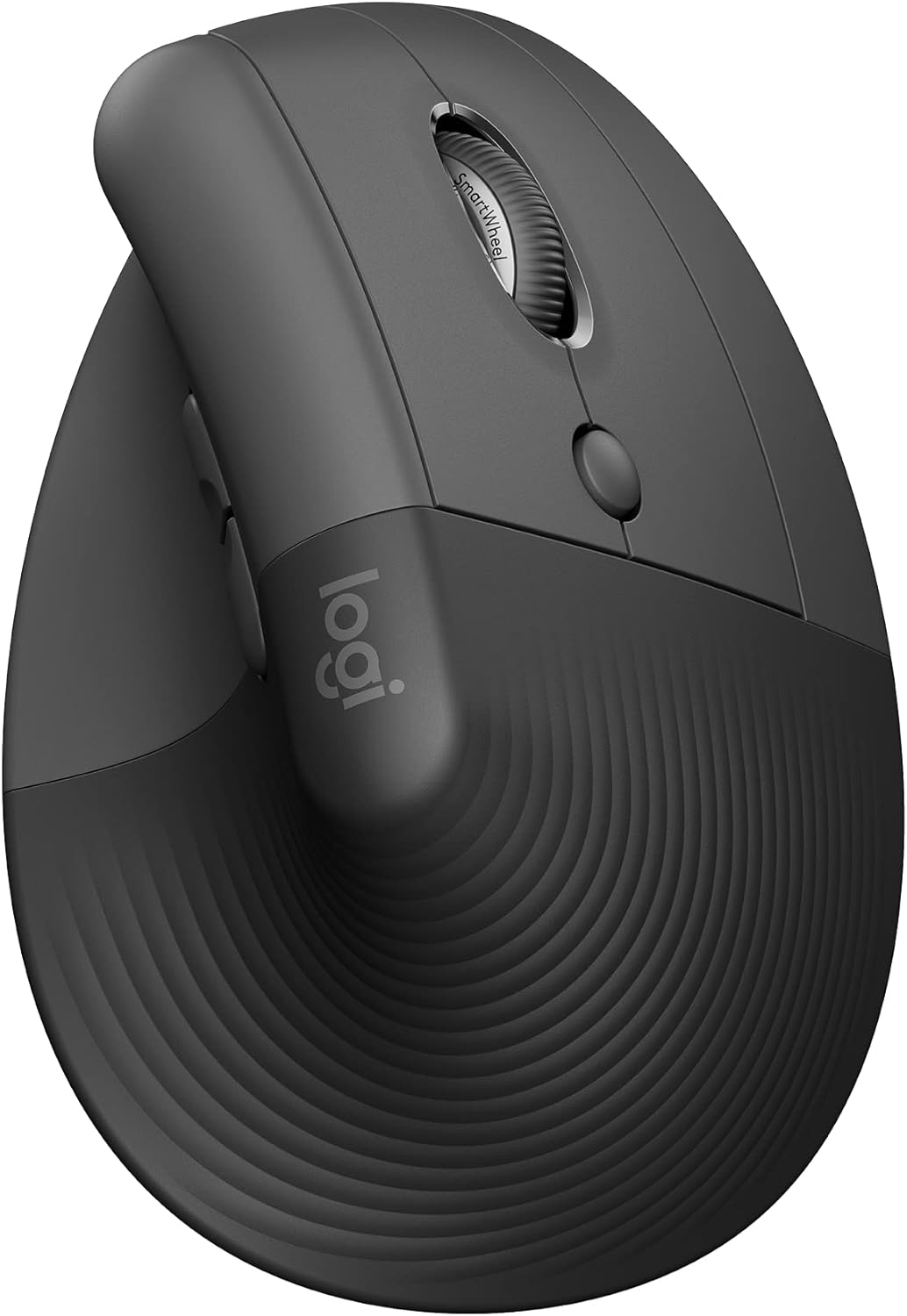
1. Logitech Lift Vertical Ergonomic Mouse — Best Overall
Price: $64.79 | Amazon rating: 4.4 / 5 from 13,960 ratings | Role: Best overall mouse | Key spec: 57-degree shell, Bluetooth LE or Logi Bolt
The Lift gets the most decisions right. Its shell is quoted at 57 degrees rather than fully upright — enough to uncross the forearm without pushing work into the shoulder — and it is the only mouse here whose listing says who it is for: “a great fit for small to medium right hands”. In a category where fit decides everything, that sentence beats most specification tables.
The rest is well judged: Bluetooth Low Energy or Logi Bolt across five platforms, clicks described as whisper-quiet, and a replaceable cell quoted at up to two years, so no charging cable joins the desk. The listing says the design was reviewed against criteria set by leading ergonomists — a process, not a measured outcome, but more than any other ergonomic mouse and pad listing here claims.
Best for: Right-handed workers with average or smaller hands who need a quiet mouse.
Skip if: You have large hands, you are left-handed, or your real problem is a palm on a hard desk edge — a $20 pad fixes that.
Read the full Logitech Lift review →
Where to Buy — Logitech Lift
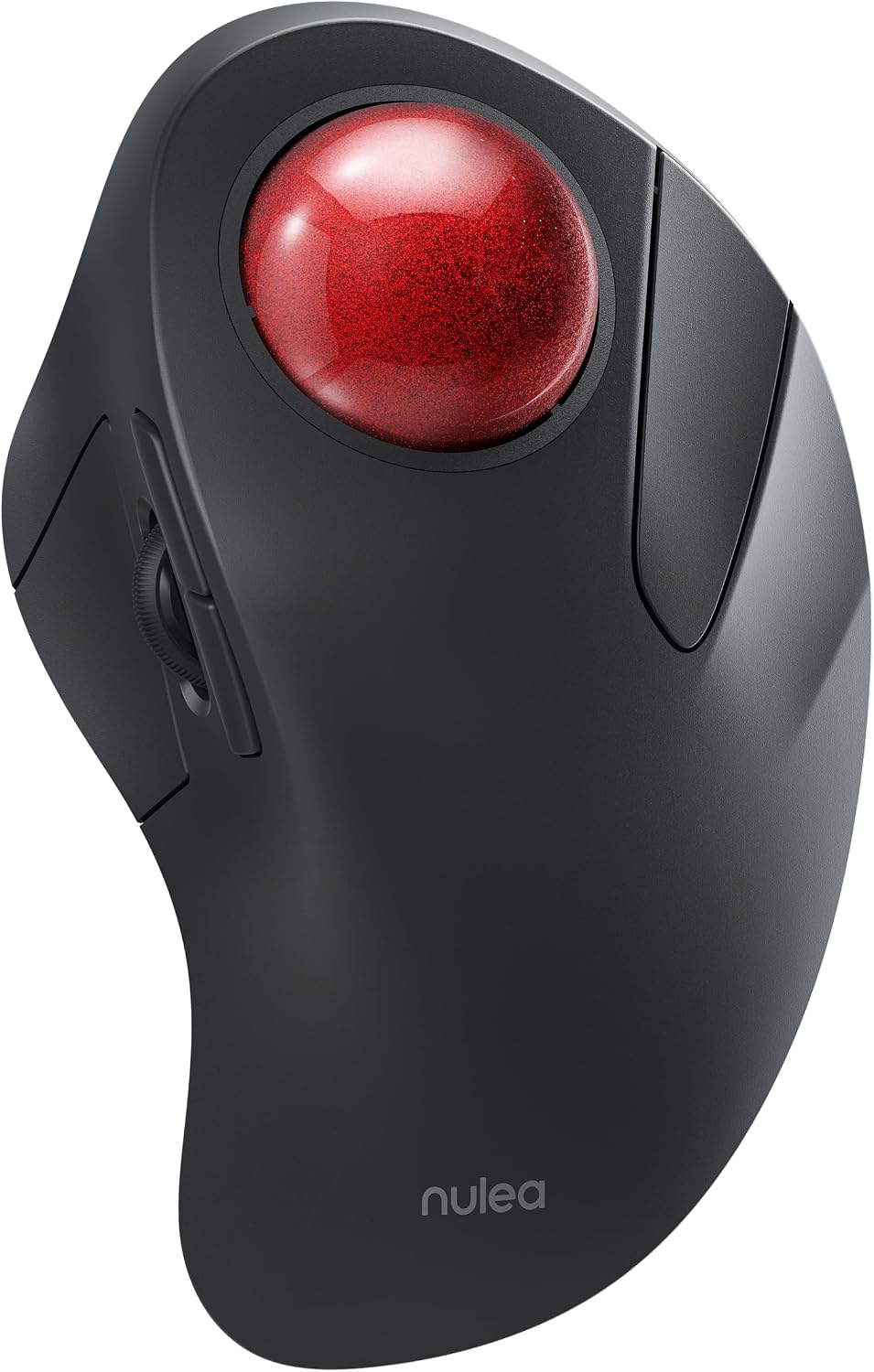
2. Nulea M505A Trackball Mouse — Best for Shoulder and Upper-Arm Ache
Price: $42.99 | Amazon rating: 4.4 / 5 from 2,162 ratings | Role: Arm stays still | Key spec: 44 mm index-finger ball, 3 devices
Every other pick changes the angle of your hand. This one stops your arm moving. A 44 mm ball sits under the index finger and the device never leaves its spot, so the shoulder and elbow stop contributing to cursor travel. If the ache is in the deltoid or outer elbow, wrist angle will not help, and this is the only ergonomic mouse and pad option here that addresses it.
It is also the only pick that works “on practically any surface”, with three-device pairing and up to 60 days per charge. Two honesty notes: the listing calls it “an effective solution for treating wrist pain”, a medical claim with nothing behind it, while a bullet headed “Kind Note” admits the shape “may make you feel uncomfortable at first”. Believe the small print.
Best for: Shoulder or upper-arm ache, a crowded desk, or anyone a vertical mouse did nothing for.
Skip if: Your pain is in the fingers or thumb base, or you cannot afford a slow week while you adapt.
Read the full Nulea M505A review →
Where to Buy — Nulea M505A
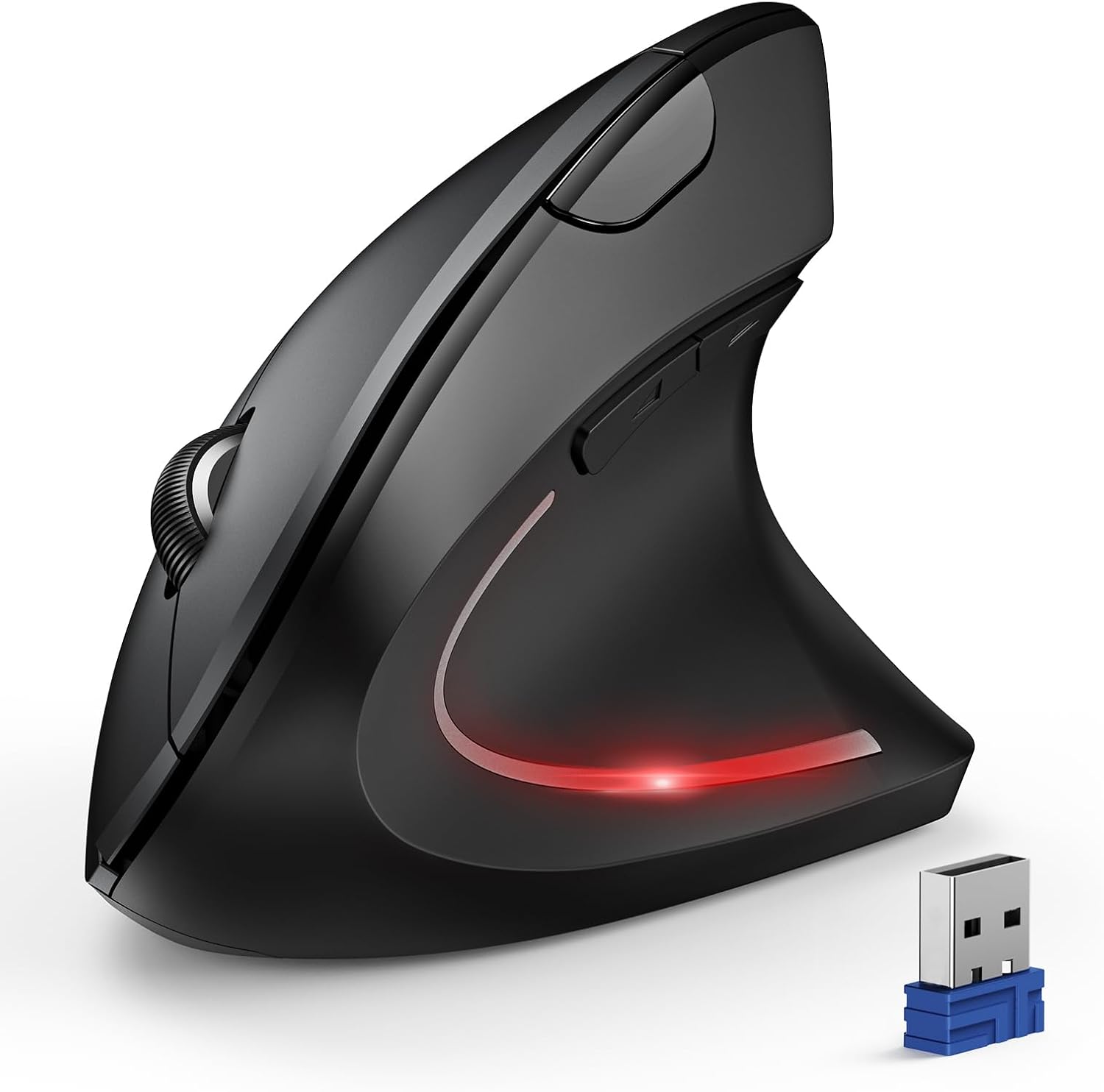
3. TECKNET Vertical Mouse — Best Value
Price: $26.99 | Amazon rating: 4.4 / 5 from 12,831 ratings | Role: Cheapest grip change | Key spec: Bluetooth 5.0/3.0 + 2.4 GHz, 6 DPI levels
This is the pick that makes the expensive one work for its money. Its listing describes a shell that puts “your palm at a near-vertical angle on the desktop, reducing pressure and pain on your wrist” — the same postural change as the Lift at 42% of the price. Physics charges no premium, and 12,831 ratings at 4.4 out of 5 is substantial feedback for a budget ergonomic mouse and pad brand.
It beats the premium shell on one detail: the 2.4 GHz receiver is “built into the bottom of the mouse”, so it cannot be lost. Three caveats sit mid-bullet rather than in the table: only the left and right clicks are silent, the side buttons do not work on macOS, and the two AAA cells are not included.
Best for: Anyone testing whether an upright grip suits them without spending $65.
Skip if: You are left-handed, on a Mac and wanting the side buttons, or you need a shell length first.
Read the full TECKNET vertical mouse review →
Where to Buy — TECKNET vertical mouse
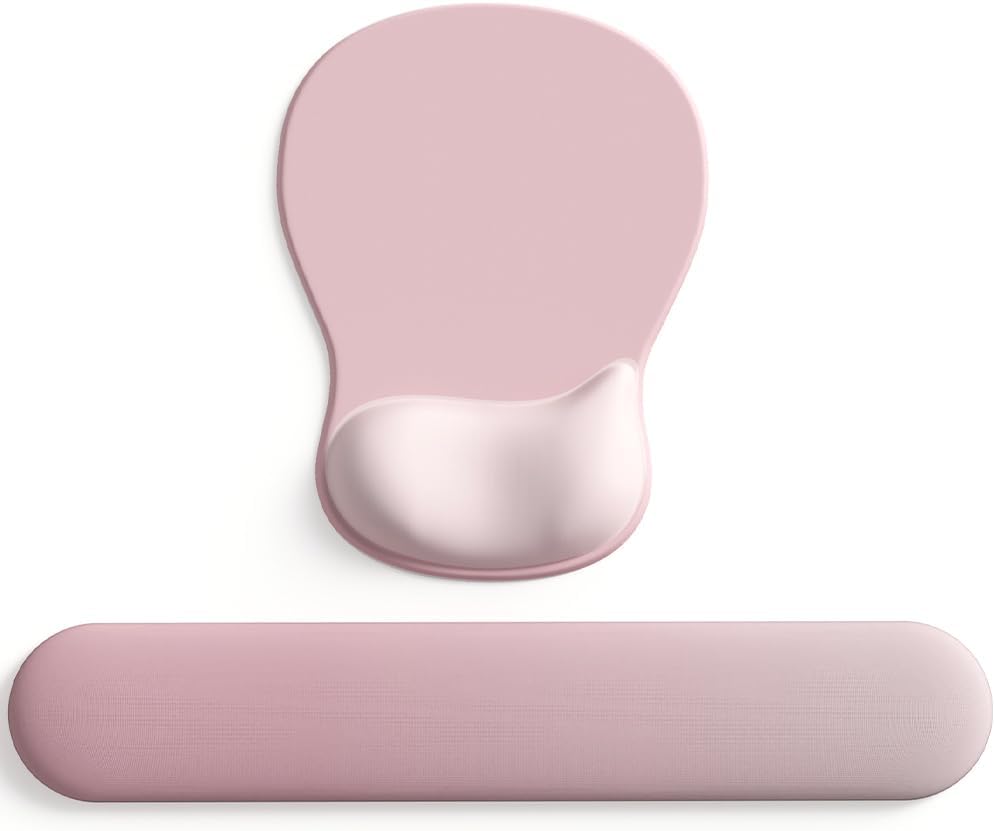
4. ErgoComfort Gel Wrist Rest Mouse Pad Set — Best for Both Hands
Price: $24.99 | Amazon rating: 4.5 / 5 from 2,484 ratings | Role: Both hands supported | Key spec: Gel mouse pad plus memory foam keyboard rest
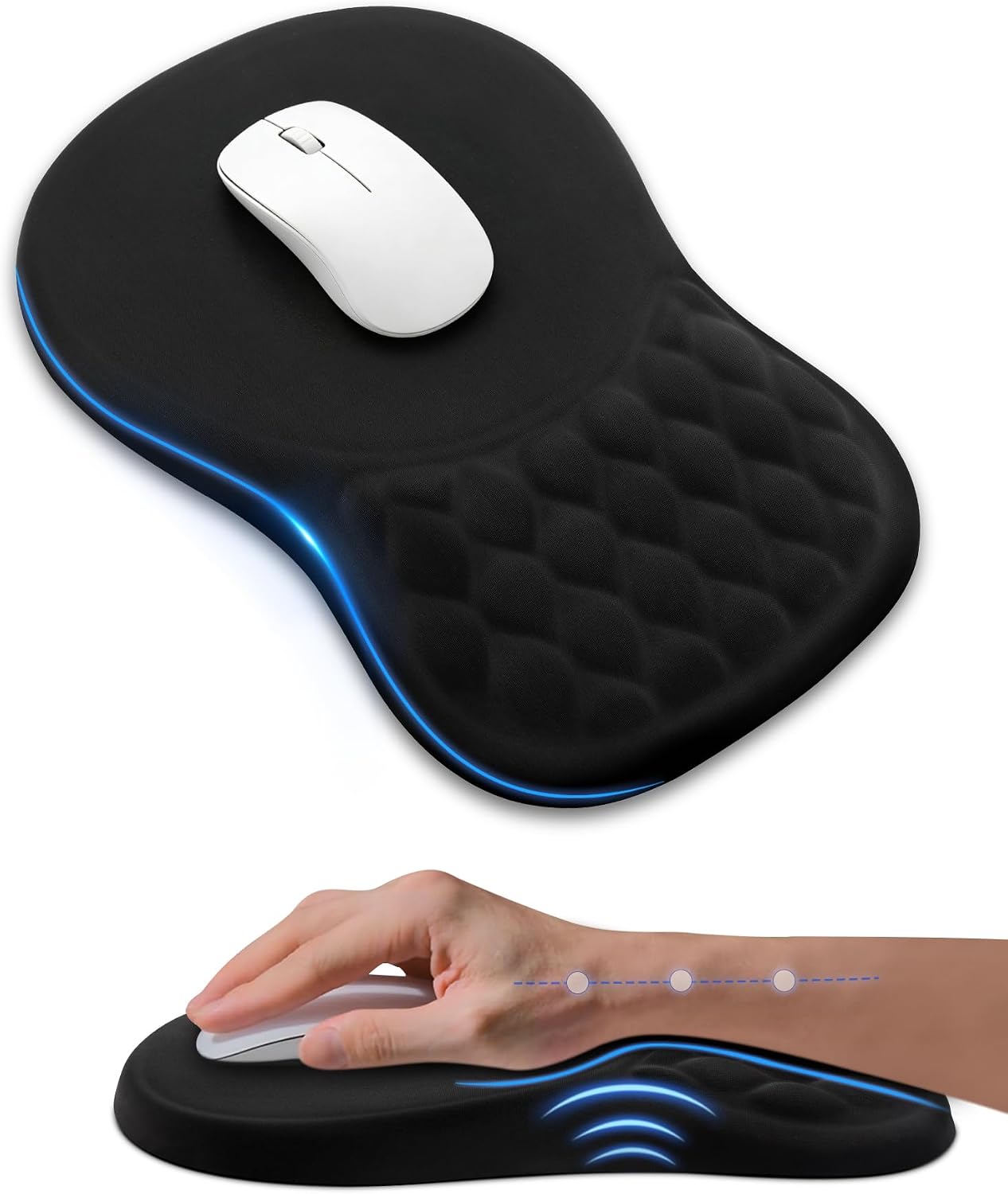
This is the only ergonomic mouse and pad option here that supports the hand you type with, and it uses the right material for each job: gel under the mouse hand, which keeps repositioning, and slow-rebound foam under the keyboard hand, which stays put. A Lycra top glides well and $24.99 is less than buying either piece separately.
The typing hand is the one the law mentions: Britain’s 1992 Display Screen Equipment Schedule requires “the space in front of the keyboard” to be “sufficient to provide support for the hands and arms of the operator or user”. Two honest marks against it: no dimensions are published, and thickness decides whether a rest helps or hurts; and the brand field reads DEMON CHEST while the product sells as ErgoComfort.
Best for: Anyone who types as much as they click, or whose palms rest on a hard edge.
Skip if: Your desk is already at elbow height, or you need an exact size.
Read the full ErgoComfort gel set review →
Where to Buy — ErgoComfort gel set
5. Sloped Memory Foam Mouse Pad — Cheapest Fix
Price: $19.99 | Amazon rating: 4.5 / 5 from 285 ratings | Role: For a low desk | Key spec: Sloped memory foam, 11.14 × 7.6 in
At $19.99 this is the cheapest ergonomic mouse and pad entry point, and the argument is strong: foam is foam, and stopping your palm resting on a hard edge does not improve at four times the price. It is also the only pad here that publishes a footprint, 11.14 × 7.6 inches — compact rather than generous.
It scores lowest because its shape is a commitment. The ramp tips the hand forwards, bringing a desk below elbow height closer to neutral — and bending your wrist backwards if your desk is already correct. The listing never warns you, and publishes no ramp height. Check your forearm from the side: sloping down to the hand means buy it, level means buy a flat pad.
Best for: A desk slightly below elbow height, or a palm on a hard edge.
Skip if: Your desk is already the correct height, or you need a large mousing area.
Read the full sloped memory foam pad review →
Where to Buy — sloped memory foam pad
Ergonomic Mouse and Pad — Buyer’s Guide
Handshake Angle Is the Specification That Matters
A flat mouse holds your forearm palm-down with its two bones crossed. A vertical shell rotates the hand towards a handshake and uncrosses them. Makers quote it as an angle: 57 degrees on the Lift, steeper on premium models. Steeper is not better — a near-upright grip shifts work to the shoulder, which is why the right ergonomic mouse and pad for a sore wrist is often wrong for a sore deltoid. Buy the angle that matches where it hurts.
Hand Size Beats Brand Every Time
Ergonomic mice are sized, and the good listings say so. A shell built for a large palm leaves a small hand gripping with fingertips — exactly the clawed posture you were trying to remove. Measure from your wrist crease to the tip of your middle finger: under roughly 17 cm suits the smaller shells, over about 19 cm needs the larger ones. Fit is the commonest reason an ergonomic mouse and pad goes back.
A Wrist Rest Should Fill a Gap, Not Build a Ramp
A rest exists to stop the heel of your hand hanging in mid-air or pressing a hard desk edge — not to lift your hand above the mouse. A pad thicker than the gap it fills bends the wrist backwards into extension, which is worse than no pad. Match rest height to mouse height, prefer memory foam that recovers over gel that packs down, and treat sloped and flat as different products: a sloped ergonomic mouse and pad suits a low desk, a flat one a desk at correct elbow height.
Connection, Clicks and the Things Nobody Lists
Three unglamorous specifications decide whether you keep using the thing. Connection: Bluetooth travels between machines, a 2.4 GHz dongle is more reliable. Noise: silent switches matter more in a shared room than any ergonomic claim. Power: rechargeable means another cable, a replaceable cell means a spare in a drawer. None of the three leads the marketing for any ergonomic mouse and pad here, and all three are in the tables.
What the Evidence Actually Says About Wrist Pain
Work-related musculoskeletal disorders are not rare. HSE’s 2024/25 statistics for Great Britain record 511,000 workers suffering from them, 173,000 new cases and 7.1 million working days lost, including “211,000 cases where the upper limbs or neck was mainly affected”. The US Bureau of Labor Statistics’ days-away-from-work series put carpal tunnel syndrome at a median of 28 days away in 2015, against 12 for musculoskeletal disorders overall.
The causal story is weaker than the marketing implies. The NHS calls carpal tunnel syndrome what happens “when the carpal tunnel inside your wrist swells and squeezes 1 of your nerves”, and its risk list is dominated by things no mouse can change — weight, pregnancy, diabetes, arthritis, previous injury, family history — with repetitive gripping alongside. Its first advice is not a purchase: “stop or cut down on anything that causes you to frequently bend your wrist or grip hard”, then a night splint.
HSE’s brief guide, Managing upper limb disorders in the workplace, names the risks as “prolonged repetitive work”, “uncomfortable or awkward working postures”, “sustained or excessive force” and “carrying out a task for a long time without suitable rest breaks” — and prescribes time, not hardware: “break up prolonged, repetitive work periods with regular changes of activity… Avoid just one break at lunchtime or mid-shift.” So the honest framing: an ergonomic mouse and pad removes one awkward posture and one pressure point, worth $20 to $80. It does not buy permission to work four hours without moving.
US vs UK: Who Is Supposed to Pay for This
Britain wrote the wrist rest into law in 1992. The Schedule to the Health and Safety (Display Screen Equipment) Regulations 1992 states that “the keyboard shall be tiltable and separate from the screen so as to allow the operator or user to find a comfortable working position avoiding fatigue in the arms or hands” and that “the space in front of the keyboard shall be sufficient to provide support for the hands and arms of the operator or user”. That is a statutory requirement for exactly what a wrist rest provides, addressed to the employer.
The United States has no federal equivalent. In a standard interpretation dated 18 March 2024, OSHA states that “while OSHA does not have a specific ergonomics standard, employee exposure to hazards related to repetitive motions and awkward postures that cause MSDs may be addressed under Section 5(a)(1)… commonly referred to as the General Duty Clause”. One state goes further. California’s Title 8, section 5110 covers “musculoskeletal injuries that a licensed physician objectively identified and diagnosed” where more than one employee performs “the same repetitive motion task, such as but not limited to word processing, assembly, or loading” — word processing is named in the regulation — and only once those injuries are “reported by the employees to the employer in the last 12 months”.
The reading for a buyer is blunt. In Britain, ask first: a Display Screen Equipment assessment may get you the kit free, and an ergonomic mouse and pad you bought yourself may be money your employer owed. In America, outside California, nothing is triggered until a doctor has diagnosed two people in the same job, so the purchase is yours. Vocabulary shifts too — a British reader searches for a mouse mat and a wrist support, an American for a mouse pad and a wrist rest.
Ergonomic Mouse and Pad — Which One Should You Buy?
Under $25: fix the pressure point first
With one item to spend, buy the surface. The $19.99 sloped memory foam pad removes the hard-edge contact most desk workers feel, and the TECKNET vertical mouse is the cheapest way to change forearm angle instead. Either alone is a defensible ergonomic mouse and pad decision; buying both still costs less than one premium mouse.
$25 to $50: the sensible complete setup
Most people should land here. Pair the TECKNET vertical mouse with the ErgoComfort gel set and both hands are supported for under fifty dollars. If the pain is in the shoulder, substitute the Nulea M505A trackball, which moves the work away from the arm entirely.
$60 and up: buy it once
The Logitech Lift is the pick for the best software support, the quietest clicks and multi-device switching, and the top-rated ergonomic mouse and pad component here. Add the cheap pad, not an expensive one — foam is foam, and the money belongs in the hand that moves.
Two neighbouring guides here ask different questions about the same desk. Desk setup essentials asks what belongs on the desk; desk charging stations asks how you power it. Neither covers input devices or wrist support, and neither shares a product with this comparison.
Ergonomic Mouse and Pad — Frequently Asked Questions
Are ergonomic mouse pads worth it?
If your wrist rests on a hard desk edge, yes — a rest removes a pressure point for the price of two coffees, the cheap half of any ergonomic mouse and pad purchase. If your desk is already at elbow height, a pad adds nothing and can tilt the wrist upwards. The test is whether your palm heel touches something hard.
Do ergonomic mouse pads actually help with pain?
They help with contact pressure, which is a real problem. They do not address what official guidance names: HSE lists prolonged repetitive work, awkward posture, sustained force and long spells without breaks. A pad changes only the second, and only slightly. Treat it as one small fix, not a treatment.
Is a vertical mouse better for your wrist than a normal one?
A vertical shell holds the forearm nearer a neutral handshake instead of full palm-down rotation, which most people find more comfortable within a week or two. Whether it prevents injury is far less settled. The change is immediate and has no side effects, which is why the mouse is the part of an ergonomic mouse and pad setup people notice first.
Should I buy an ergonomic mouse pad or a wrist rest?
Mostly the same product under two names: an American listing says mouse pad with wrist rest, a British one mouse mat with wrist support. The real choice is between a pad for the mouse hand and a set that supports the keyboard hand too — and the DSE Regulations were written about exactly that space.
Does a vertical mouse help with carpal tunnel syndrome?
Possibly, but do not buy one as a cure. The NHS lists weight, pregnancy, diabetes, arthritis, previous injury and family history among the risk factors alongside repetitive bending, and advises cutting the aggravating activity and wearing a night splint rather than changing hardware. Numbness or night pain is a doctor’s question.
Which ergonomic mouse is best for small hands?
Check the specification tables rather than the marketing. The smaller shells here suit hands under roughly 17 cm from wrist crease to middle fingertip; the larger models want palms above about 19 cm. Too big a shell is the commonest reason an ergonomic mouse and pad is returned.
How do you use an ergonomic mouse pad correctly?
The rest supports the heel of the hand, not the wrist joint, and the hand should glide rather than pivot. Keep it level with or just below the mouse so the wrist stays straight, move the whole forearm for long cursor trips, and follow HSE on frequent changes of activity rather than one long lunch.
Ergonomic Mouse and Pad — Final Thoughts
An ergonomic mouse and pad is one of the few desk purchases where the cheap option is often right. A $20 memory-foam rest fixes a pressure point as well as a $60 one, and a $27 vertical shell changes forearm rotation by the same principle as a $65 one — what the extra money buys is software, switch quality and fit, not a different mechanism. Decide which of those you need, and match the shell to your hand, not to the scores.
Then do the thing no product can do. Both regulators quoted above land in the same place: Britain’s DSE Schedule wants the space in front of the keyboard to support your hands, and HSE wants repetitive work broken up with frequent changes of activity rather than one long lunch. Buy the mouse, buy the pad, and still get up every half hour. The ergonomic mouse and pad is the easy half of the fix; the breaks are the half that works.
Sources and Further Reading
- The Health and Safety (Display Screen Equipment) Regulations 1992, Schedule
- Managing upper limb disorders in the workplace: a brief guide (INDG171)
- Work-related musculoskeletal disorders statistics in Great Britain, 2025
- OSHA standard interpretation on ergonomic hazards, 18 March 2024
- California Code of Regulations, Title 8, section 5110: Repetitive Motion Injuries
- Nonfatal Occupational Injuries and Illnesses Requiring Days Away From Work
- Carpal tunnel syndrome
Affiliate disclosure: Blue Rays Technologies is a participant in the Amazon Services LLC Associates Program. We earn from qualifying purchases made through the links on this page, at no extra cost to you. Prices and ratings were read from the live Amazon listings on the date shown and can change without notice.