Almost every guide to desk setup essentials is really a guide to buying a desk. It tells you about sit-stand frames, monitor arms, mechanical keyboards and cable trays, and it assumes the room around all of that is neutral — a blank white box that simply holds your furniture. That assumption is wrong, and it is the reason so many people spend a thousand pounds or dollars on a workspace and still finish the day with a stiff neck, dry eyes, a headache and the vague sense that they have been sitting in stale air since breakfast. The desk is rarely the problem. The room is.
This guide takes the opposite approach. The seven desk setup essentials below are not furniture and they are not computer peripherals. Each one fixes something the room is doing to you: the height it forces your neck into, the air it recirculates, the camera it points at your bed, the way it erases the boundaries of the working day, the heating bill it runs up while you sit still for eight hours, and the drawer of dead batteries it quietly accumulates. Every product here costs under $270, most cost under $45, and every one of them earns its place by fixing a specific, measurable problem rather than by looking good in a photograph.
We chose these desk setup essentials on four criteria: whether the problem it solves is real and documented, whether it works in a room you may not be allowed to modify, whether the price is proportionate to the fix, and whether it survives honest scrutiny when the marketing is stripped away — which is why one of the seven scores 7.8 and gets a blunt warning attached. Prices and links below go to Amazon.com and reflect the US listings; UK readers can search the same model names on Amazon.co.uk, and because the regulatory picture genuinely differs, there is a full US vs UK section further down covering electrical standards, air quality limits, radon, camera law, screen-break law and energy costs.
Desk Setup Essentials — Quick Comparison
| # | Product | Role | Key spec | Best for | Price | Score |
|---|---|---|---|---|---|---|
| 1 | BESIGN LSX7 Swivel Laptop Stand | The neck | 360° rotating base, fits 10–15.6″ | Anyone working on a laptop screen | $19.99 | 8.3 |
| 2 | Levoit Core Mini-P Air Purifier | The air | HEPA, small-room, low noise | Small closed rooms and box rooms | $44.49 | 8.6 |
| 3 | CloudValley Webcam Cover Slide | The privacy | 0.023″ metal, 2-pack | Working in a bedroom | $6.99 | 8.7 |
| 4 | KADAMS Pomodoro Cube Timer | The clock | 5/10/25/50 min rotating | People who never take breaks | $16.99 | 8.1 |
| 5 | Berkshire Primalush Wearable Blanket | The warmth | Plush cape wrap, 58″×64″ | Heating one room all day | $29.99 | 8.5 |
| 6 | BONAI 16-Bay Battery Charger | The power | 16 independent AA/AAA bays | Peripheral-heavy desks | $29.44 | 8.2 |
| 7 | RayNeo Air 3s Wearable Display | The screen | 201″ virtual, 120 Hz FHD | Desks with no room for a monitor | $269.90 | 7.8 |
- Desk setup essentials — quick comparison
- The 7 best desk setup essentials in 2026
- Desk setup essentials — buyer’s guide
- US vs UK: what changes when you set up a desk at home
- Desk setup essentials — which one should you buy?
- What a home workstation actually does to you: the evidence
- Desk setup essentials — frequently asked questions
- Desk setup essentials — final thoughts
- Sources and further reading
The 7 Best Desk Setup Essentials in 2026
The order below is the order in which a room acts on you. It starts with your body, moves to your privacy, then to your time, then to your bills, then to the surface of the desk itself, and only at the very end to the screen. That is deliberate: the further down this list of desk setup essentials you go, the more discretionary the purchase becomes.
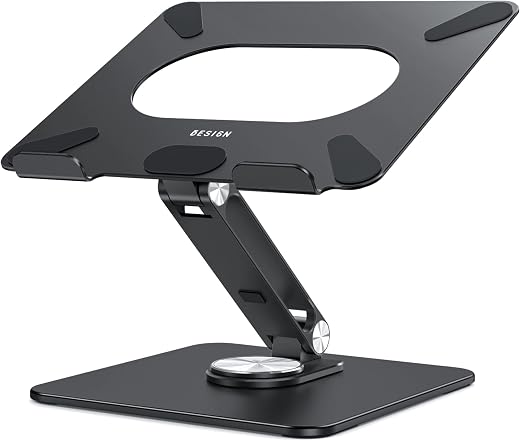
1. BESIGN LSX7 Swivel Laptop Stand — Best Desk Setup Essentials Pick for Your Neck
Price: $19.99 (was $24.99) | Amazon rating: 4.6 from 6,011 ratings | Role: The neck | Key spec: Aluminium riser with a 360° rotating base, fits 10–15.6″ laptops
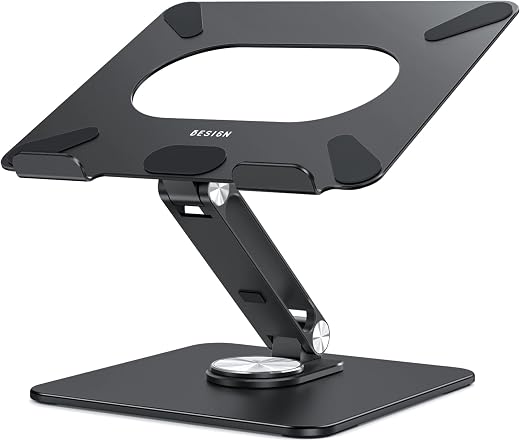
A laptop is a compromise machine. The screen and the keyboard are hinged together, which means that when the keyboard is at the right height for your hands, the screen is roughly a foot below the right height for your eyes. You resolve that conflict by tipping your head forward for eight hours a day. Every ergonomics authority on both sides of the Atlantic says the same thing about this, and the American Academy of Ophthalmology puts a number on it: sit about 25 inches from the screen and adjust its height so you are looking slightly downward at it. On an unraised laptop you are looking steeply downward instead.
The LSX7 is a folding aluminium riser with one feature that separates it from the £8 wire stands: a base that rotates a full 360 degrees. That sounds like a gimmick until you work at a shared table, at a kitchen worktop, or in any room where somebody occasionally needs to look at your screen. Being able to spin the laptop rather than lift it and rewire it is worth more in daily use than another two centimetres of height adjustment. Aluminium also acts as a passive heatsink, which matters if your machine throttles under load.
The compromise is the one every riser makes: once the screen is at eye height, the built-in keyboard is unusable, so a separate keyboard and mouse become mandatory rather than optional. Budget for that. If you already own them, this is the cheapest genuinely effective item in this entire list of desk setup essentials, and the one with the largest gap between what it costs and what it fixes. At under $20 it is also the only entry here you can buy on impulse without doing any arithmetic first.
Best for: Anyone who works all day on a laptop screen and already owns — or is willing to buy — an external keyboard and mouse. Particularly good on shared tables where the machine needs to swivel.
Skip if: You are unwilling to add a separate keyboard, or you use a docked laptop with an external monitor already at eye height. It also tops out at 15.6″, so 16″ and 17″ machines are a poor fit.
Read the full BESIGN LSX7 Swivel Laptop Stand review →
Where to Buy — BESIGN LSX7 Swivel Laptop Stand
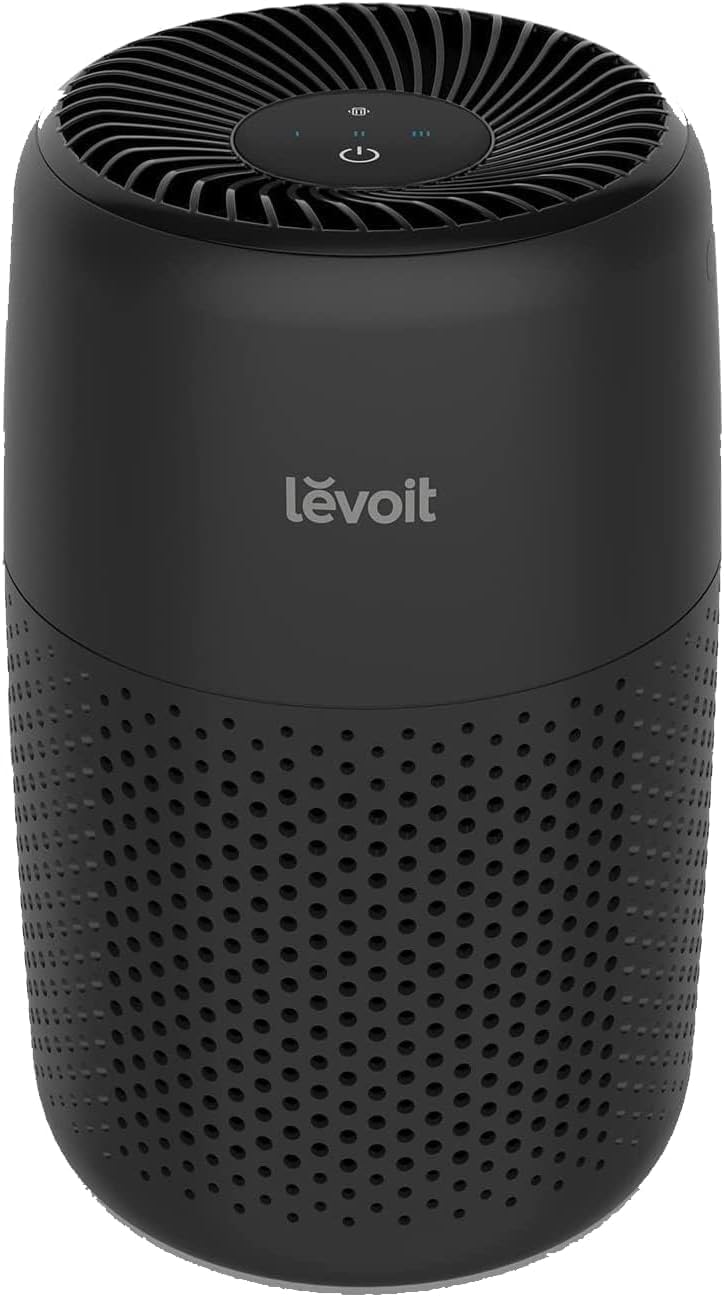
2. Levoit Core Mini-P — Best Desk Setup Essentials Pick for the Air You Sit In
Price: $44.49 (was $49.99) | Amazon rating: 4.6 from 45,237 ratings | Role: The air | Key spec: Compact HEPA purifier sized for bedrooms, dorms and box rooms
This is the item most people leave out of their desk setup essentials and the one with the best evidence behind it. A home office is usually the smallest room in the house, often with a single window that stays shut in winter, and you are sitting in it for eight hours breathing the same air. Everything in that room off-gasses: the laptop, the printer, the carpet, the paint, the cleaning products. In a workplace this would be a ventilation calculation. At home it is nobody’s job at all.
The Core Mini-P is deliberately unambitious, and that is the point. It is not trying to clean an open-plan living space; it is sized for exactly the sort of box room, spare bedroom or student room where most home desks actually live, and it is quiet enough to leave running through a video call. The EPA defines a HEPA filter as one that can remove at least 99.97% of airborne particles at 0.3 microns — a figure chosen because 0.3 microns is the worst case, the most penetrating particle size, not an average. Filters get better either side of it.
Two honest caveats. First, a purifier removes particles, not carbon dioxide — if the room feels stuffy and you feel dull, that is a ventilation problem and the answer is an open window, not a filter. Second, “HEPA-type” and “HEPA-like” are marketing phrases with no legal force in either country, so read the specification rather than the front of the box. Within those limits this is the strongest-value entry among these desk setup essentials, and its 45,000-plus ratings make it the second most-reviewed product in the group.
Best for: Small, closed, single-window rooms — box rooms, spare bedrooms, student rooms and converted lofts — especially near a busy road or in a household with pets or a smoker.
Skip if: Your desk is in a large open-plan space, in which case this unit is undersized and you need to compare clean air delivery rates instead. It also does nothing for carbon dioxide, humidity or radon.
Read the full Levoit Core Mini-P review →
Where to Buy — Levoit Core Mini-P Air Purifier
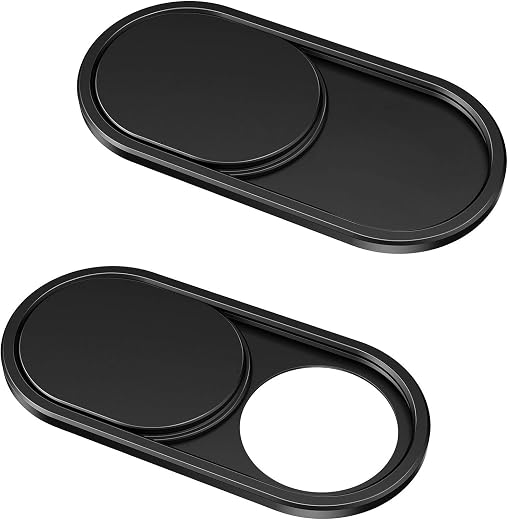
3. CloudValley Webcam Cover Slide — Best Cheap Desk Setup Essentials Pick for Privacy
Price: $6.99 | Amazon rating: 4.5 from 54,797 ratings | Role: The privacy | Key spec: 0.023-inch metal slide, two-pack, closes the laptop without cracking the screen
The highest expert score in this group of desk setup essentials belongs to the cheapest item in it, and that is not an accident. A home desk points a camera into a room that is also a bedroom, a living room or a nursery. In an office nobody would install a permanently powered camera facing a bed. At home, roughly everyone has, and then covered it with a sticky note that falls off.
The case for taking this seriously is not paranoia, it is enforcement record. In May 2023 the US Federal Trade Commission alleged that one Ring employee “over several months viewed thousands of video recordings belonging to female users of Ring cameras that surveilled intimate spaces in their homes such as their bathrooms or bedrooms”, and that attackers using reused passwords reached the accounts of approximately 55,000 US customers. Ring agreed to pay $5.8 million in refunds. Those were cameras people had chosen to install and point at themselves.
What makes this particular cover worth $7 rather than $2 is thickness. At 0.023 inches it is thin enough that the laptop still closes flat, which is the failure mode that kills most webcam covers: a thick plastic slider presses the screen against the keyboard and eventually marks or cracks it. The trade-off is that it is a physical adhesive object on a machine you may not own — check your employer’s policy before sticking hardware to a company laptop, and be aware it covers the lens only, never the microphone.
Best for: Anyone whose desk is in a bedroom or shared room, and anyone on a machine with no hardware camera shutter. A two-pack covers a laptop and a tablet.
Skip if: Your laptop already has a built-in physical shutter, or your IT policy forbids adhesive accessories. Do not mistake it for a security control — it stops the lens, not the microphone or the software.
Read the full CloudValley Webcam Cover Slide review →
Where to Buy — CloudValley Webcam Cover Slide
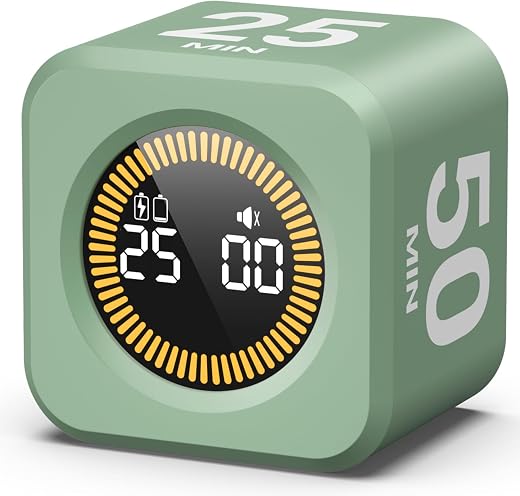
4. KADAMS Pomodoro Cube Timer — Best Desk Setup Essentials Pick for Taking Breaks
Price: $16.99 | Amazon rating: 4.7 from 577 ratings | Role: The clock | Key spec: Rotating cube with 5, 10, 25 and 50-minute faces
An office paces you whether you like it or not. People walk past, meetings start, someone offers to make tea, and the working day has natural edges. A room at home has none of those, which is why home workers routinely discover they have not stood up since 9am. The British regulator is explicit that no law sets the timing: HSE guidance says the “timing and length of changes in activity or breaks for DSE use is not set down in law”, but that “short, frequent breaks are better than longer, infrequent ones” and that you should change activity before you get tired rather than to recover.
The cube is a deliberately dumb object. You turn it so the face you want is upward and it counts down; there is no app, no account, no notification and nothing to check. That is the whole argument for it over a phone timer, because the phone is the thing you are trying not to pick up. The four faces map onto the way most people actually work — 5 and 10 minutes for a break, 25 for a standard focus block, 50 for deep work.
It is the weakest-selling item here by review volume, with 577 ratings against the webcam cover’s 54,797, so treat the social proof accordingly. It is also the entry that depends most on you: a timer only helps someone who will actually obey it, and if you already stop for lunch and stand up hourly, it solves a problem you do not have. Among desk setup essentials this is the one to buy last and the first to skip if the budget is tight.
Best for: People who lose whole afternoons, work in a room with no interruptions, and want a break cue that is not on the phone they are already distracted by.
Skip if: You already take regular breaks, or you know from experience that you ignore timers. A free phone timer does the same counting; you are paying $17 for the fact that it is not a phone.
Read the full KADAMS Pomodoro Cube Timer review →
Where to Buy — KADAMS Pomodoro Cube Timer
5. Berkshire Primalush Wearable Blanket — Best Desk Setup Essentials Pick for a Cold Room
Price: $29.99 | Amazon rating: 4.6 from 1,167 ratings | Role: The warmth | Key spec: Plush cape wrap with pockets, one size, 58″ × 64″
Sitting still is the problem. A person at a desk generates very little metabolic heat compared with a person moving around a house, so the temperature that feels fine when you are cooking feels cold when you have been typing for two hours. Meanwhile you are heating an entire property so that one person can occupy one room, which is the single most expensive habit of home working and the one nobody itemises.
The health floor is real and officially stated. Public Health England’s review of minimum indoor temperature thresholds concluded that “heating homes to at least 18°C (65F) in winter poses minimal risk to the health of a sedentary person, wearing suitable clothing”, and warned that below 18°C “negative health effects may occur, such as increases in blood pressure and the risk of blood clots which can lead to strokes and heart attacks”. Read that sentence carefully: the threshold is stated for a person wearing suitable clothing. The clothing is part of the standard, not a way around it.
A cape wrap with pockets is the practical version of that. It covers the shoulders and forearms — the parts of you that are exposed and stationary at a keyboard — without the sleeves of a dressing gown catching on the desk edge, and the pockets stop it sliding off when you stand up. It is bulky, it is not remotely smart enough for a video call, and it will not save a genuinely cold house. It is a $30 substitute for running a space heater beside your legs for eight hours, and on that comparison it is the best-value item in these desk setup essentials.
Best for: Anyone heating a whole home for one occupied room, working in a cold box room or loft, or trying to avoid running a plug-in heater all day.
Skip if: You take video calls constantly and need to look presentable from the waist up, or your room is genuinely below the 18°C floor — in which case fix the heating, because a blanket is not a substitute for a warm home.
Read the full Berkshire Blanket Primalush Wearable Blanket review →
Where to Buy — Berkshire Primalush Wearable Blanket

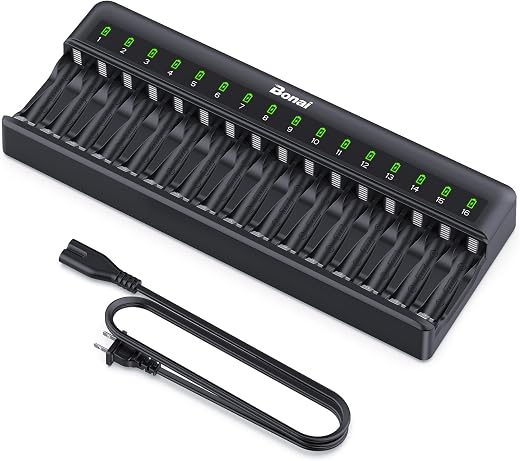
6. BONAI 16-Bay Battery Charger — Best Desk Setup Essentials Pick for the Drawer of Dead Batteries
Price: $29.44 (was $30.99) | Amazon rating: 4.6 from 2,459 ratings | Role: The power | Key spec: 16 independently controlled bays for NiMH AA and AAA, batteries not included
Look in the drawer nearest your desk. Wireless keyboard, wireless mouse, trackpad, presenter remote, desk clock, label maker, headset, backup torch: a modern desk is surrounded by AA and AAA cells, and the ones that die get put “somewhere” and never dealt with. This is a small, boring, genuinely universal problem, which is exactly why it belongs on a list of desk setup essentials rather than in a novelty gadget roundup.
Independent bay control is the specification that matters and the thing cheap chargers get wrong. A charger that treats all bays as one circuit will overcharge a half-full cell to finish a flat one; sixteen independently controlled bays let you drop in whatever you find, in any state of charge, in any mix of AA and AAA. Sixteen is also enough capacity to do a whole household in one pass, which is the difference between a device you use and a device that lives in a cupboard.
Two things to know before buying. It ships with a standard American AC plug, so UK and EU buyers need an adapter or the regional variant — check the listing rather than assuming. And it charges NiMH only; do not put lithium primary cells or alkalines in it. The disposal rules also differ by country in a way that surprises people, and that is covered in the US vs UK section below.
Best for: Desks with several battery-powered peripherals, households that have quietly accumulated a drawer of half-dead cells, and anyone switching from disposables to rechargeables.
Skip if: Your peripherals are all USB-C rechargeable, you only ever need two cells at a time, or you want a plug-and-forget unit — this is a bulk tool and it takes up real desk or shelf space.
Read the full BONAI 16-Bay Battery Charger review →
Where to Buy — BONAI 16-Bay Battery Charger
7. RayNeo Air 3s — The Most Interesting and Least Safe Pick in These Desk Setup Essentials
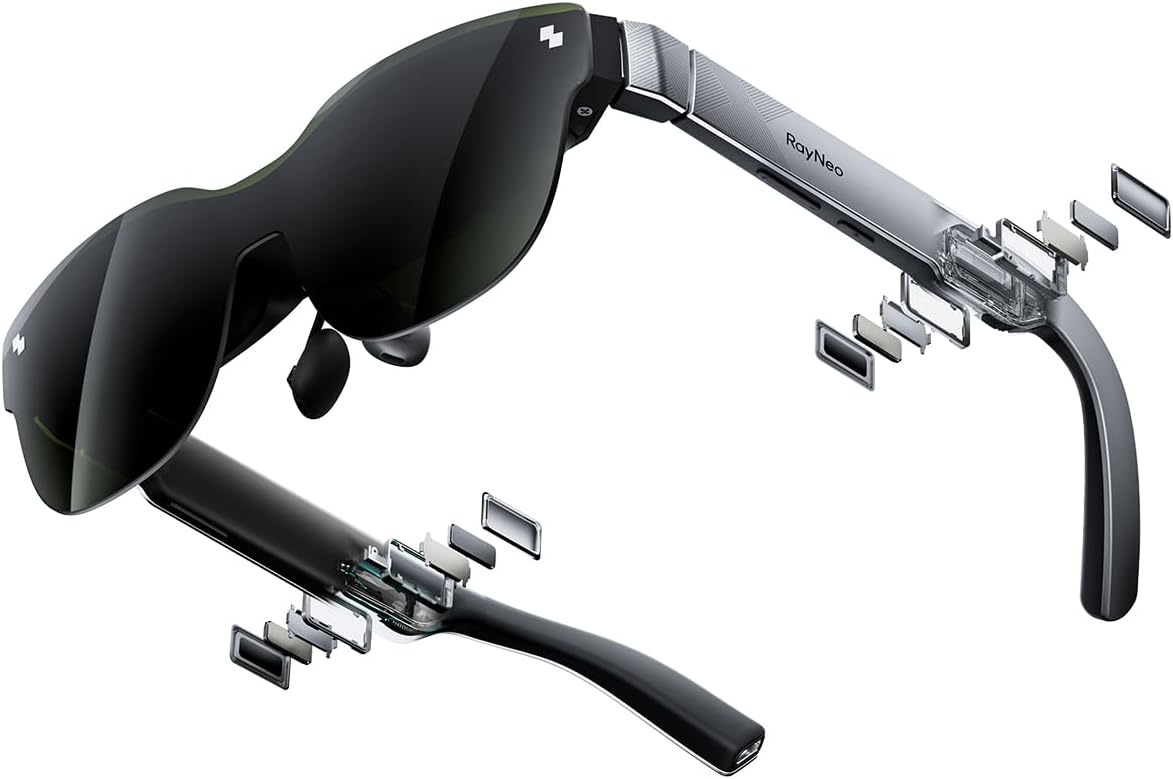
Price: $269.90 | Amazon rating: 3.9 from 476 ratings | Role: The screen | Key spec: 201-inch virtual display, 120 Hz FHD, wired to a phone, laptop or console
Every other product here is a settled recommendation. This one is not, and it would be dishonest to present it as one. The Air 3s puts a large virtual screen in front of your eyes from a pair of glasses that weighs less than a sandwich, and for a desk with no wall, no space for a monitor and no permission to drill anything, that is a genuinely novel answer to a real constraint — a shared kitchen table, a rented room, a hot desk, a hotel.
The ergonomic argument in its favour is better than it first sounds. A monitor fixes your screen height only while you sit in one place; a wearable display puts the image at a fixed distance from your eyes whatever your posture, which removes the neck flexion that item one on this list exists to fix. It is also the only product here that gives you a second screen without needing a second square foot of desk.
Now the honesty. Its Amazon rating is 3.9 from 476 ratings — the lowest score and by some distance the weakest social proof of these desk setup essentials — and that is why it scores 7.8 rather than the high eights everything else earns. Wearable displays remain a category with real complaints about fit, glare, cable stiffness and eye fatigue over long sessions, and $269.90 is more than the other six items combined. Buy it because the constraint it solves is your constraint, not because it is the newest thing on the page.
Best for: People with genuinely no room for a monitor — shared tables, small rented rooms, frequent travel — who want a large screen for long-form work, film or console play.
Skip if: You have wall or desk space for a normal monitor, you wear strong prescription glasses, or you are buying your first upgrade — spend $20 on the stand and $45 on the purifier before you spend $270 here.
Read the full RayNeo Air 3s review →
Where to Buy — RayNeo Air 3s
Desk Setup Essentials — Buyer’s Guide: What to Look For
The seven products above are the answers. This section is the reasoning, so that you can apply it to whatever is on the shelf when you actually go shopping. Good desk setup essentials share four properties: they solve a documented problem, they work in a room you are not allowed to alter, they cost a fraction of what the problem costs you, and they keep working when the fashion moves on.
Desk setup essentials should fix the room, not decorate it
The test is simple: can you name the harm the object prevents? A monitor riser prevents neck flexion. A purifier reduces particulate exposure. A camera cover prevents a specific, prosecuted class of intrusion. A desk mat prevents nothing. This is not an argument against nice objects — it is an argument for buying them from a different budget, so that the money meant to make the room survivable is not spent on making it photogenic.
Apply the same test to the room itself before you buy anything. If the room is cold, dark, damp or has a permanently closed window, no accessory fixes it and the money is better spent on heating, a lamp or ventilation. The desk setup essentials on this page are for rooms that are basically sound but subtly hostile.
Desk setup essentials start with the height of your eyes, not your hands
Every ergonomic recommendation on both sides of the Atlantic reduces to two independent heights that a laptop forces into one. HSE’s guidance for display screen equipment says the user’s eyes should be roughly level with the top of the screen, forearms approximately horizontal, and wrists straight when keying. The American Academy of Ophthalmology adds the viewing distance: about 25 inches, or arm’s length, angled slightly downward.
You cannot satisfy both with a laptop lid. So the order of purchase is fixed: raise the screen first, then add an input device at the height your elbows want. Anyone selling you desk setup essentials in the reverse order — a fancy keyboard for a screen that is still in your lap — is selling you the enjoyable part instead of the useful part.
Check what the room does when the door is shut
A home workspace is usually a small room with the door closed and often the window closed too. That concentrates three things: particulates from cooking, cleaning and traffic; carbon dioxide from you; and, in some geologies, radon from the ground. They need different answers — filtration, ventilation and testing respectively — and buying a purifier does not address the other two. Know which of the three you have before spending.
The one genuinely worth a £3 test kit is radon, because it is invisible, it accumulates in the lowest occupied rooms, and a converted cellar or ground-floor back room is exactly where people put a desk. Both countries publish maps and action thresholds, and those thresholds differ — see the next section.
Choose desk setup essentials that outlive the laptop
Laptops are replaced every three to five years. A riser, a purifier, a timer, a wrap and a battery charger all outlive several of them; a dock, a cable set or a device-specific cover may not. Given a choice between two similar desk setup essentials, the one that is agnostic about which computer you own is the better buy, and that logic quietly explains why six of the seven items above have no electronics that can go out of date.
It is also the argument for buying the cheap items first. The riser and the camera cover together cost under $27 and will still be doing their job in ten years. The wearable display is the one item here that is on a technology curve, and it is priced accordingly.
What this desk setup essentials guide deliberately leaves out
No desk. No chair. No monitor arm, no mechanical keyboard, no RGB lighting and no sit-stand frame. Those are the things every other guide leads with, and they are excluded here for one reason: they are the expensive, room-specific, body-specific purchases that cannot be recommended sight-unseen. A chair matters more than every item on this page combined, and it is precisely the thing you should not buy on a stranger’s recommendation.
Standing desks are left out for a second reason. The British regulator’s position on break timing is that nothing is set down in law and that short, frequent changes of activity beat long infrequent ones — which is an argument for moving, not specifically for standing. If a £400 frame is what makes you move, it is money well spent. If a £17 cube on the desk does the same job, that is the honest recommendation to print.
US vs UK: What Changes When You Set Up a Desk at Home
This is the section most desk setup essentials guides skip, and it is where the two markets genuinely diverge — not in the products, which are largely identical, but in the law, the thresholds and the running costs sitting behind them.
The vocabulary: American desk setups, British workstations
Americans buy a desk setup. British employers, regulators and occupational health teams talk about a workstation, because that is the word written into the legislation. Ask a UK employer for help with your “desk setup” and you may get sympathy; ask for a DSE workstation assessment and you have triggered a statutory process. The rest follows the usual pattern: outlet/socket, power strip/extension lead, cord/lead or flex, space heater/electric heater or fan heater, drapes/curtains, cell phone/mobile, and the American first floor which is the British ground floor.
Screen breaks and eye tests: advisory in the US, statutory in the UK
The single largest divergence. In Britain the Health and Safety (Display Screen Equipment) Regulations 1992 apply to workers who “regularly use DSE as a significant part of their normal work (daily, for continuous periods of an hour or more)”. Employers must analyse workstations to assess and reduce risks and record significant findings. Crucially, HSE states that “an employer must provide an eyesight test for a DSE user if they request one. The employer must also pay for the test”, and must pay for glasses if the test shows special ones are needed for the screen viewing distance.
The United States has no equivalent. OSHA’s own FAQ notes that Congress rescinded the original ergonomics rule under Senate Joint Resolution 6, that its guidelines “are advisory, do not create new employer obligations, and are not basis for citations”, and that ergonomic hazards are pursued only through the General Duty Clause, section 5(a)(1). An American worker asking for a funded eye test is asking a favour. A British one is exercising a right. That difference should change how you spend your own money on desk setup essentials — in the UK, ask before you buy.
Air quality limits: the US limit is stricter than the UK target
On 7 February 2024 the EPA finalised a revised annual PM2.5 standard of 9.0 µg/m³, down from 12.0, while retaining the 24-hour standard at 35 µg/m³. England’s legally binding annual mean concentration target under its own regulations is 10 µg/m³ — by 2040, alongside a population exposure reduction target of at least 35% against 2018 levels. In other words, America’s current binding limit is tighter than the target England has given itself another fourteen years to reach.
For a filter buyer the practical point is the same in both countries: the EPA’s definition of HEPA — at least 99.97% of particles at 0.3 microns, the most penetrating particle size — is the number to look for, and “HEPA-type” is not it. European filters are frequently rated to the EN 1822 classes instead, where H13 and H14 are the grades that correspond to genuine HEPA performance, so a UK listing quoting “H13” is making a real claim and one quoting “HEPA-style” is not.
Radon: two different action levels for the same gas
Radon is the most under-discussed hazard in any conversation about desk setup essentials, because desks migrate to ground floors, cellars and converted garages — the places radon collects. The two countries do not use the same threshold. The EPA recommends “homes be fixed if the radon level is 4 pCi/L”, suggests considering action between 2 and 4 pCi/L, and states plainly that “there is no known safe level of exposure to radon”. The UK Health Security Agency sets an Action Level of 200 Bq m-3 and a Target Level of 100 Bq m-3.
Convert them and the gap is stark: 4 pCi/L is about 148 Bq/m³, so the British Action Level is roughly 35% higher than the American one, while the British Target Level of 100 Bq/m³ is about 2.7 pCi/L and therefore stricter than the US action figure. Same gas, same physics, two different lines. If your desk is in a basement in either country, test the room.
Cameras: the household exemption and where it stops
British domestic camera use is governed by data protection law the moment it looks beyond your own walls. GOV.UK’s domestic CCTV guidance is explicit: “If your CCTV system captures images of people outside the boundary of your private domestic property – for example, from neighbours’ homes or gardens, shared spaces, or from public areas – then the GDPR and the DPA will apply to you”, bringing obligations to answer subject access requests, delete recordings promptly and keep footage secure.
The United States has no single federal analogue; enforcement comes after the fact and through the FTC, as the 2023 Ring case showed. The practical consequence for a home desk is the same in both countries and is worth saying plainly in a guide to desk setup essentials: a webcam in a bedroom is a camera pointed at a private space, and a $7 slide is a cheaper control than any policy.
Electricity and warmth: why the UK maths favours a blanket
Under Ofgem’s price cap for 1 October to 31 December 2026, British households pay 26.32p per kWh for electricity plus a 54.83p daily standing charge. The EIA reports the average US residential price at 18.34 cents per kWh in June 2026, up 5.0% year on year. Once converted, British electricity costs roughly twice as much per unit — which is why a 1.5 kW heater running beside a desk is an irritating expense in America and a serious one in Britain.
The health floor is the same on both sides, though only Britain publishes it as guidance: heating homes to at least 18°C (65°F) “poses minimal risk to the health of a sedentary person, wearing suitable clothing”, with warnings of raised blood pressure and clot risk below that. American heat standards exist instead as landlord obligations set city by city. Either way, insulating the person rather than the property is the cheapest lever available to a home worker, and it is why a wrap outranks a heater in these desk setup essentials.
Batteries: free takeback by law versus the household trash
A sixteen-bay charger raises a disposal question with a genuinely different answer in each country. In the UK, GOV.UK guidance requires any retailer supplying 32kg or more of portable batteries a year to “offer free collection (‘takeback’) of waste or used batteries” with a collection point at every premises — a legal duty, free of charge, which is why supermarkets have battery bins by the door.
The EPA’s position is looser: “In most communities, alkaline and zinc carbon batteries can be safely put in your household trash”, though it recommends recycling where available, while stating firmly “do not put rechargeable batteries in the trash or municipal recycling bins”. State laws vary. The upshot is that in Britain switching to rechargeables plugs into an existing free system, and in America you need to find a takeback point yourself — but the rechargeables must be recycled in both countries.
Desk Setup Essentials — Which One Should You Buy?
Under $30: the two desk setup essentials nobody regrets
If you buy nothing else from this page, buy the BESIGN LSX7 swivel laptop stand at $19.99 and the CloudValley webcam cover slide at $6.99. Twenty-seven dollars fixes the two problems with the strongest evidence behind them — the neck angle a laptop forces and the camera pointed at a private room — and neither will be obsolete in a decade. Add the KADAMS Pomodoro cube timer at $16.99 if you routinely forget to stand up.
This tier is where most people should stop on a first pass. Live with these desk setup essentials for a month, notice what still bothers you, then spend again against the specific complaint rather than the general feeling that the room could be better.
$30 to $75: the room-level desk setup essentials
The Levoit Core Mini-P at $44.49 is the best single addition once the cheap fixes are in, particularly for a small closed room, and the Berkshire Primalush wearable blanket at $29.99 pays for itself against a winter of heater use — faster in the UK than in the US, on the unit prices above. The BONAI 16-bay battery charger at $29.44 belongs here too if your desk runs on AA and AAA cells.
A reasonable complete kit is the whole of tier one plus the purifier and the wrap: five of these desk setup essentials for about $121, which is less than a single mid-range monitor arm and addresses considerably more. If you also want a proper camera for calls rather than the laptop’s, the Logitech C920x and the cheaper Logitech Brio 101 are the two we would look at first.
Over $250: desk setup essentials only for a specific constraint
The RayNeo Air 3s at $269.90 is the only item here we would not recommend by default. Buy it if — and only if — you genuinely cannot put a monitor in the space, and you have read the caveats about its 3.9 rating. If you want a large screen and you do have wall space, buy a monitor instead and spend the difference on a chair.
Two adjacent purchases worth naming for people building out a desk: the DYMO LetraTag label maker for cable and drawer labelling, and the Kindle Paperwhite as the screen you read on when you have finished looking at the screen you work on. Neither is essential; both are the kind of thing people buy second and enjoy more than another accessory for the desk surface.
What a Home Workstation Actually Does to You: The Evidence
Everything recommended above rests on published guidance from health, environmental and regulatory bodies rather than on reviewer taste. This section sets out what those bodies actually say, so you can weigh the desk setup essentials on this page against your own room instead of taking a score on trust.
Your eyes: blinking, distance and the 20-20-20 rule
The American Academy of Ophthalmology’s account of digital eye strain is refreshingly undramatic. Normally humans blink around 15 times a minute, but “this ‘blink rate’ can be cut in half when staring at screens” — which is the mechanism behind the dryness and grittiness of a long working day, not the screen’s brightness. Its remedy is the 20-20-20 rule: “every 20 minutes look away from your screen and look at an object 20 feet away for at least 20 seconds.”
The AAO is equally clear about what does not cause harm: “Blue light from computers will not lead to eye disease… the small amount of blue light coming from computer screens has never been shown to harm your eyes.” That single sentence disposes of an entire category of accessory sold as a desk setup essential. Blue-light glasses are not on this page because the professional body for eye doctors says the problem they claim to solve is not the problem you have.
Your neck: two heights, one hinge
HSE’s guidance for display screen equipment sets out the target posture in plain terms — eyes level with the top of the screen, forearms approximately horizontal, wrists straight when keying, and the mouse within easy reach so it can be used with a straight wrist. OSHA’s computer workstations eTool arrives at the same destination by a different route, framing monitor placement as a way to reduce “forceful exertions, awkward postures, and overhead glare”.
Neither authority can be satisfied by a laptop used as sold. That is the whole argument for putting a $20 riser at the top of a list of desk setup essentials rather than treating it as an optional extra, and it is why the stand outscores several more exciting items here.
Your lungs: filtration is not ventilation
The EPA’s definition of HEPA is the anchor: a pleated mechanical filter that “can theoretically remove at least 99.97% of dust, pollen, mold, bacteria, and other airborne particles with a size of 0.3 microns”, where 0.3 microns is chosen because it “corresponds to the worst case; the most penetrating particle size”. Filters perform better above and below that size, which is why the single number is meaningful rather than arbitrary.
What a filter cannot do is replace air. Carbon dioxide, humidity and radon all pass straight through a HEPA element. The correct order of operations in a small room is therefore: open the window when you can, filter what remains, and test for radon if the room is at or below ground level. Any guide to desk setup essentials that sells a purifier as a complete answer to indoor air is overselling it.
Your time: the law is quieter than the wellness industry
It is worth repeating the actual regulatory position, because it is routinely misquoted as a legal right to a break every hour. HSE says timing and length “is not set down in law”, recommends short frequent breaks over long infrequent ones, and advises changing activity before users get tired “rather than to recover”. That is guidance about pacing, not entitlement — and it is a better argument for a cheap timer than any productivity system.
Your privacy: what the enforcement record shows
The FTC’s 2023 action against Ring is the clearest available illustration of why a physical cover beats a software setting. Beyond the employee misuse, the complaint described attackers exploiting reused credentials to reach “stored videos, live video streams, and account profiles of approximately 55,000 U.S. customers”, with $5.8 million paid in refunds. In the UK the framing is preventative instead: capture anyone beyond your property boundary and the UK GDPR and Data Protection Act apply to you, with all the duties that follow.
Your bills: the arithmetic of heating one room
Set the two national numbers side by side — 26.32p per kWh under the Ofgem cap from 1 October 2026, against 18.34 cents per kWh reported by the EIA for June 2026 — and the case for insulating the person rather than the room writes itself, particularly in Britain. Against the officially stated 18°C floor for a sedentary person “wearing suitable clothing”, a wrap is not a workaround; it is the clothing the threshold already assumes you are wearing.
Desk Setup Essentials — Frequently Asked Questions
1. What are the most important desk setup essentials if I can only buy one thing?
A laptop stand. It is the only item that fixes a posture problem you are subjecting yourself to for eight hours a day, and it costs under $20. HSE guidance puts your eyes level with the top of the screen and your forearms horizontal; a laptop lid makes those two requirements physically incompatible. Raise the screen, then add a keyboard.
2. Are these desk setup essentials different in the UK?
The products are the same; the context is not. British workers who use screens for continuous periods of an hour or more are covered by the DSE Regulations 1992, which oblige employers to assess the workstation and to pay for an eyesight test on request. Ask your employer before you buy. Check plug type too — the battery charger on this page ships with an American plug.
3. Do I really need an air purifier at my desk?
Only if your room is small, closed and stays that way. A purifier removes particulates; it does nothing for carbon dioxide, humidity or radon. If the room feels stuffy rather than dusty, open the window. If it is at or below ground level, test for radon first — the EPA’s action level is 4 pCi/L and the UK Action Level is 200 Bq/m³.
4. Do blue-light glasses belong in a list of desk setup essentials?
No, and that is the position of the American Academy of Ophthalmology, which states that the small amount of blue light from computer screens has never been shown to harm your eyes. Digital eye strain is largely a blinking and distance problem. The evidence-based remedy is free: the 20-20-20 rule, and sitting about 25 inches from the screen.
5. Is a standing desk worth it?
It can be, but not for the reason usually given. The regulatory advice is about changing activity frequently, not about standing specifically. If a standing desk is what gets you moving every half hour, it earns its cost. If a $17 timer achieves the same thing, buy the timer and put the difference towards a good chair — which matters more than anything on this page.
6. How much does it cost to run a heater at my desk all day?
Enough to change your buying decision, especially in Britain. Under Ofgem’s cap from 1 October 2026 electricity is 26.32p per kWh, while the EIA put the US residential average at 18.34 cents per kWh in June 2026 — roughly half. A 1.5 kW heater run for eight hours uses 12 kWh. That is why a $30 wrap is on this list and a heater is not.
7. Is a webcam cover actually necessary in 2026?
If your desk is in a bedroom, yes. The FTC’s 2023 Ring case described an employee viewing thousands of recordings of intimate spaces and attackers reaching around 55,000 US accounts through reused passwords. A $7 metal slide is a physical control that does not depend on a vendor’s security. Choose a thin one — 0.023 inches — so the laptop still closes flat.
8. What is the minimum temperature I should keep my home office at?
UK public health guidance is that heating homes to at least 18°C (65°F) in winter poses minimal risk to a sedentary person wearing suitable clothing, and warns of raised blood pressure and clot risk below that. There is no equivalent US federal figure; heat minimums are set locally as landlord duties. Note the phrase “wearing suitable clothing” — it is part of the standard.
9. Are wearable displays a serious alternative to a monitor?
For a narrow group, yes. If you work at a shared table or in a rented room where a monitor cannot be placed, a wearable display gives you a large screen with no footprint. But the RayNeo Air 3s rates 3.9 on Amazon against 4.5–4.7 for every other product here, and it costs more than the other six combined. It is the one speculative buy among these desk setup essentials.
10. How should I dispose of old batteries from my desk?
In the UK, any retailer supplying 32kg or more of portable batteries a year must offer free takeback, which is why supermarkets have battery bins. In the US the EPA says most communities allow alkaline and zinc carbon cells in household trash but is firm that rechargeables must never go in the trash or municipal recycling. Rechargeables need a proper recycling point in both countries.
Desk Setup Essentials — Final Thoughts
The pattern across all seven of these desk setup essentials is that the cheap items win. The two best-scoring products on this page cost $6.99 and $44.49; the most expensive is the only one carrying a warning. That is not a coincidence or an affectation of frugality — it is what happens when you select for problems that are documented rather than for products that are new. A camera cover, a riser, a filter and a wrap are unglamorous precisely because the problems they address are unglamorous, and those problems are the ones you actually live with.
Buy in the order the room hurts you. Fix the neck first, because it is cheapest and best evidenced. Fix the privacy second, because it costs $7. Then look honestly at your own room — is it stuffy, is it cold, is it below ground, is it full of dead batteries — and buy against the answer rather than against a list. Everything on this page will still be useful when your laptop has been replaced twice, which is more than most desk setup essentials can claim, and it is the only durability test that really matters.
Sources and Further Reading
- HSE — Working with display screen equipment (DSE), INDG36
- HSE — Eye tests for DSE users
- OSHA — Ergonomics standards and enforcement FAQs
- OSHA — Computer Workstations eTool: workstation components
- American Academy of Ophthalmology — Digital devices and your eyes
- US EPA — What is a HEPA filter?
- US EPA — Final reconsideration of the PM National Ambient Air Quality Standards (2024)
- GOV.UK — PM2.5 targets for England (AMCT and PERT)
- US EPA — What is EPA’s action level for radon?
- UKHSA UKradon — Radon Action Level and Target Level
- GOV.UK — Domestic CCTV: using CCTV systems on your property
- FTC — Ring employees illegally surveilled customers (May 2023)
- Public Health England — Minimum home temperature thresholds for health in winter
- Ofgem — Energy price cap unit rates and standing charges
- US EIA — Electricity Monthly Update, end-use prices
- GOV.UK — Battery waste: retailer and distributor responsibilities
- US EPA — Used household batteries
Disclosure: SoftPickr participates in the Amazon Associates Programme. If you buy through the links on this page we may earn a commission at no extra cost to you. Prices and availability were correct at the time of writing and are set by Amazon, not by us. Our scores and recommendations are not influenced by commission rates, and the products we advise against carry that advice regardless of what they pay.