Almost everybody who starts making video buys the wrong thing first. They buy a light, or a tripod, or a microphone they will use twice, and six months later the footage still looks like footage shot on a phone held at arm’s length — because it is. The problem was never the sensor. The problem is that one person cannot hold a camera, be in front of it, and see what it is doing, all at the same time. Almost every genuinely useful purchase in content creator essentials is a purchase that solves that one problem.
This roundup covers seven content creator essentials that each solve it from a different angle, and it is organised by where the camera goes rather than by price or by sensor size.
There is the phone you already carry, the monitor that turns its good lens back towards your face, the 53-gram camera you stick to your chest, the pair of glasses that films at eye level, the webcam on top of the monitor, the streaming camera for live work, and finally a pocket printer — the only item here that is not a camera, and the only one that gets your work off a platform you do not own. Every product has been reviewed individually on this site, and every entry below links to that full review.
We tested and scored these content creator essentials on four things: whether they remove a genuine constraint rather than adding a feature, whether they work without a second person, how they behave in bad light, and whether they survive being carried around. Prices and links go to Amazon.com, because that is where our affiliate account sits. UK readers can find every one of these models on Amazon.co.uk by searching the same product name — and should read the US vs UK section further down before buying, because the rules that govern what you do with the footage diverge sharply between the two countries, and in one case by a factor of twenty.
Content Creator Essentials — Quick Comparison
All seven content creator essentials at a glance. Scores are out of 10 and are assigned by the SoftPickr team from the individual reviews linked in each entry.
| # | Product | Role | Key spec | Best for | Price | Score |
|---|---|---|---|---|---|---|
| 1 | Pixel 10 Pro | The camera in your pocket | 50MP main + 48MP 5x telephoto, 4K video | Filming everything before you own anything else | $915 | 9.0 |
| 2 | Insta360 Snap Selfie Screen | Turning the good lens around | 3.5-inch 4K mirror monitor, adjustable fill light | Pieces to camera shot on the rear lenses | $89.99 | 7.9 |
| 3 | Insta360 GO Ultra | The camera that is not in your hands | 53 g, 1/1.28-inch sensor, 4K at 60fps | Cooking, building, riding, anything two-handed | $449.99 | 8.7 |
| 4 | Ray-Ban Meta Gen 2 Wayfarer | The camera nobody notices | 3K ultrawide video to 60fps, up to 8 hours | Travel, events and candid first-person footage | $409 | 8.7 |
| 5 | Logitech C920x | The camera on top of the monitor | 1080p30, five-element glass lens, H.264 encoding | Talking heads, tutorials and remote interviews | $59.99 | 9.0 |
| 6 | Razer Kiyo V2 X | The live camera | 1440p at 60fps, 80-degree field of view | Twitch, YouTube Live and Discord facecams | $99.99 | 8.2 |
| 7 | KODAK Step | Getting the work onto paper | 2 x 3 in Zink sticky-back prints, 300 dpi | Props, giveaways, zines and behind-the-scenes | $79.99 | 8.0 |
- Content Creator Essentials — Quick Comparison
- The 7 Best Content Creator Essentials in 2026
- Content Creator Essentials — Buyer’s Guide
- US vs UK: What Changes When You Film for an Audience
- Content Creator Essentials — Which One Should You Buy?
- Beyond the Content Creator Essentials: the Rules That Apply
- Content Creator Essentials — Frequently Asked Questions
- Content Creator Essentials — Final Thoughts
- Sources and Further Reading
The 7 Best Content Creator Essentials in 2026
Seven content creator essentials, ordered by where the camera ends up: in your hand, turned back at your face, clipped to your chest, worn on your face, sat on your monitor, live on a stream, and finally printed on paper.
1. Google Pixel 10 Pro — Best All-Round Camera You Already Carry
Price: $915 | Role: The camera in your pocket | Key spec: 50MP main + 48MP 5x telephoto, 4K video
Every list of content creator essentials ought to begin with the thing you are most likely to already have, and for the overwhelming majority of people making video in 2026 that thing is a phone. The Pixel 10 Pro earns its place at the top of this list not because it is the cheapest way in — it is emphatically not — but because it is the clearest illustration of why a phone is the correct first camera.
It carries a 50MP main sensor, a 48MP ultrawide and a 48MP telephoto with 5x optical reach, all behind a 6.3-inch LTPO OLED that hits 3,300 nits. That last number matters more to a creator than it sounds: it is the difference between being able to see your own framing on a bright pavement and guessing.
The Tensor G5 is the first Pixel chip fabricated by TSMC on a 3nm process, and Google has spent that headroom on things that are unusually well aimed at people filming themselves. Camera Coach reads the scene and suggests framing. Magic Cue surfaces context. Gemini Nano runs on the device rather than round-tripping to a server, which is why the computational parts of the camera respond at shutter speed instead of at broadband speed. None of this replaces knowing how to compose a shot, but it does shorten the gap between pressing record and having something usable, which is the only metric that matters when you are shooting alone.
Where it gives ground is in the places benchmark charts care about and creators mostly do not. Charging is 30W wired and 15W Qi2 — respectable, not class-leading — and raw silicon performance trails the fastest rivals. Storage tops out at 1TB with no card slot, which is a genuine constraint if you shoot 4K daily, because video fills a phone faster than anything else you will ever do with it. Seven years of Android updates is the counterweight, and for a device you intend to earn from, longevity is a specification.
Best for: You want one device that shoots, edits, uploads and answers email, and you would rather own a very good phone than a mediocre phone plus a mediocre camera.
Skip if: You already own a recent flagship. The honest advice is to keep it and spend the money on the accessories further down this page — a two-year-old Pro phone still out-shoots most dedicated cameras at this price.
Read the full Pixel 10 Pro review →
Where to Buy — Pixel 10 Pro

2. Insta360 Snap Selfie Screen — Best Fix for the Front-Camera Problem
Price: $89.99 | Amazon rating: 4.1 / 5 from 439 ratings | Role: Turning the good lens around | Key spec: 3.5-inch 4K mirror monitor, adjustable fill light
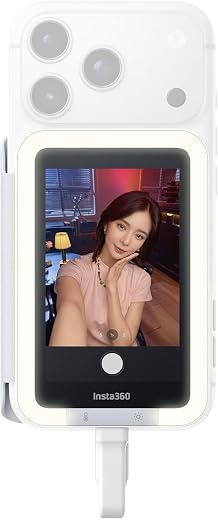
Here is a problem almost nobody solves before they have made fifty videos: the camera you point at your own face is the worst camera on your phone. The rear array gets the big sensor, the optical stabilisation and the telephoto; the front camera gets whatever fits under the screen. So creators either film themselves on the weaker lens, or film themselves on the better lens and have no idea what they look like until it is over. The Snap Selfie Screen is a 3.5-inch magnetic monitor that mirrors the rear camera to a screen facing you, and it is one of the few content creator essentials that fixes a problem rather than adding a capability.
In use it is unglamorous and effective. It attaches magnetically, connects over a cable, and the mirroring is instant and wired rather than wireless — no pairing, no lag, no dropout mid-take. The touchscreen is live, so you tap it to pull focus or change a setting instead of reaching blindly round the back of the phone. There is a small adjustable light built into the unit, which is not a substitute for real lighting but does lift a face out of a dim room enough that autofocus stops hunting.
The compatibility list is the catch and it is a serious one. It works with iPhone 15 and later, with the 16e, 17e and iPhone Air specifically excluded, and with USB-C Android phones that support DisplayPort Alt Mode — a specification most buyers have never heard of and cannot easily check. Verify your exact model before ordering. At 50 grams it adds nothing meaningful to the weight, and the wired connection that some reviewers grumble about is the reason it never drops a frame.
Best for: Anyone who talks to camera regularly on a recent iPhone and has been squinting at the front lens for months. It is the cheapest genuine upgrade to your video quality among the content creator essentials on this page.
Skip if: You own an older iPhone, an iPhone Air, a 16e or 17e, or an Android phone without DisplayPort Alt Mode. There is no workaround; it simply will not work.
Read the full Insta360 Snap Selfie Screen review →
Where to Buy — Insta360 Snap Selfie Screen
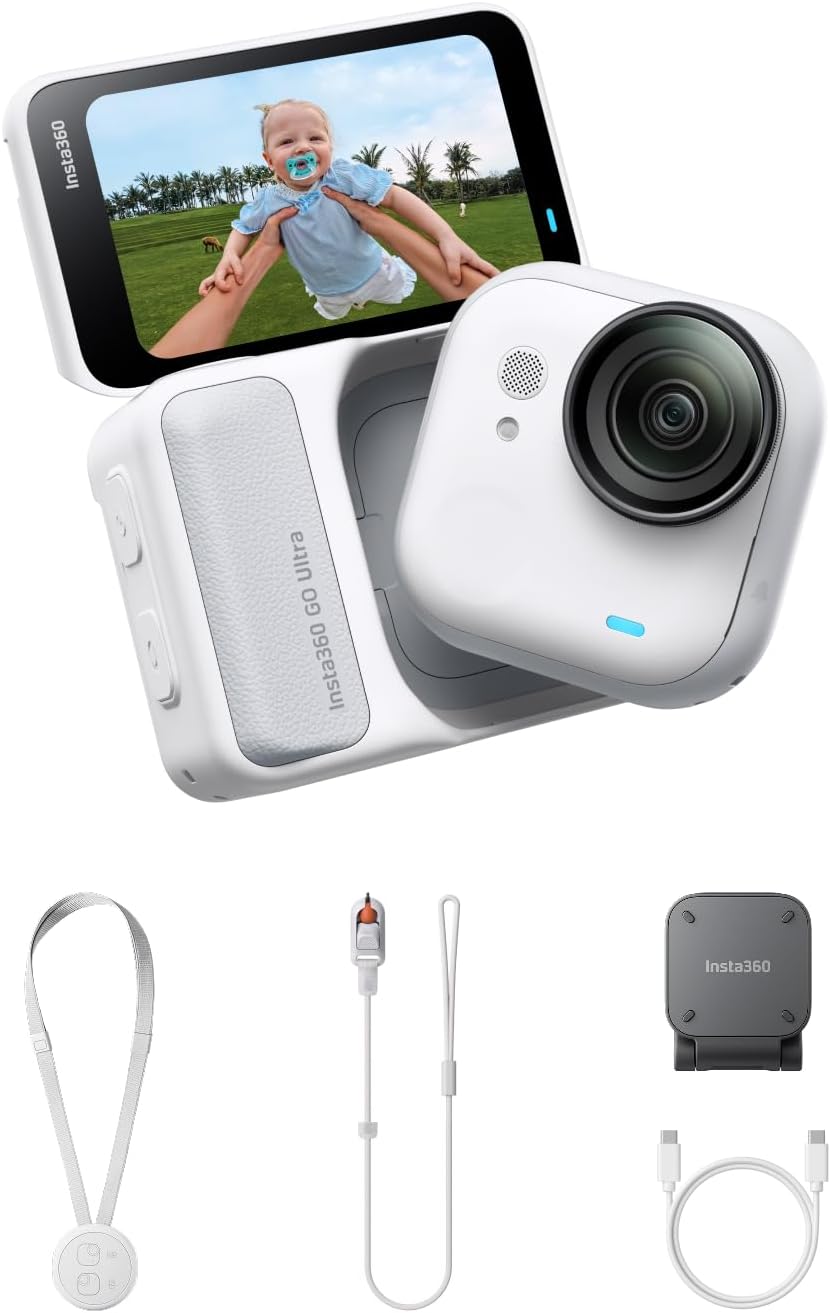
3. Insta360 GO Ultra — Best Hands-Free Camera for POV Filming
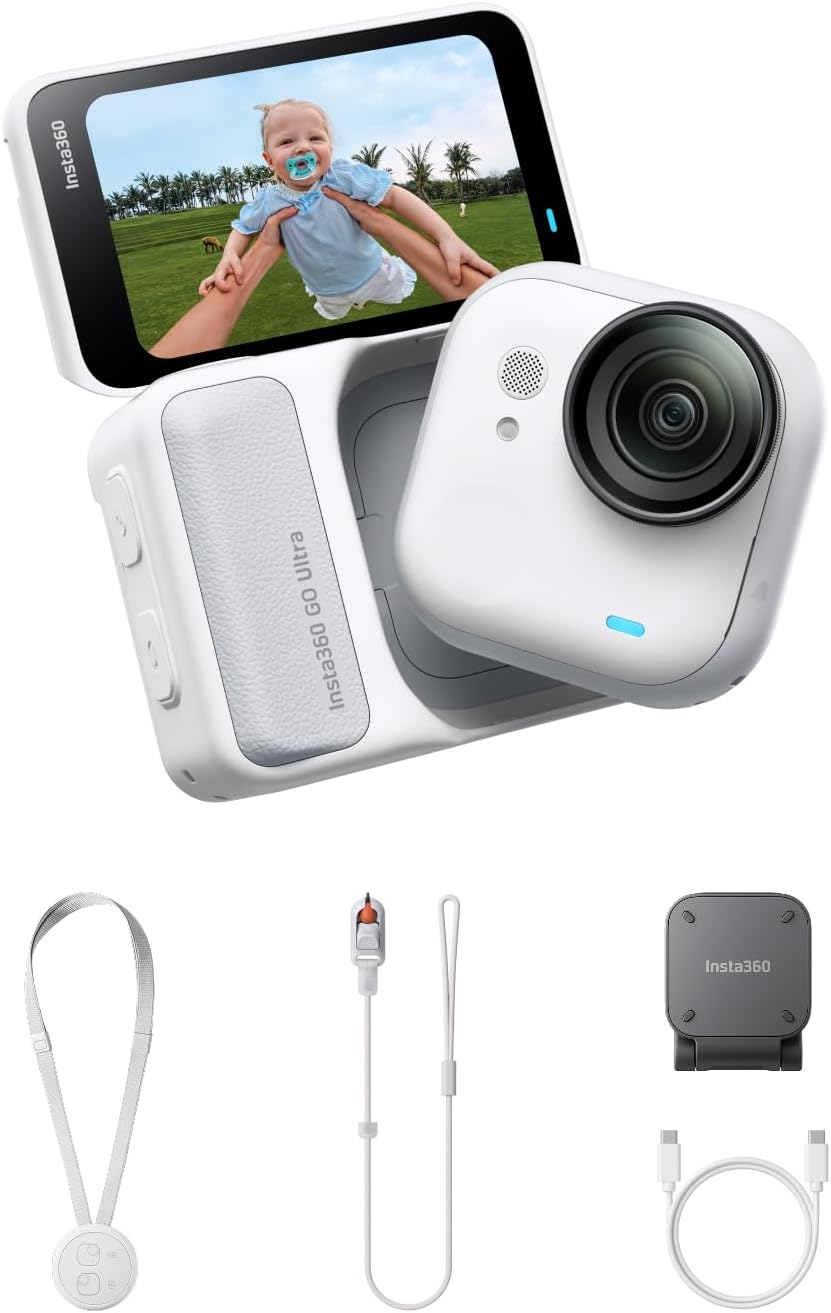
Price: $449.99 | Role: The camera that is not in your hands | Key spec: 53 g, 1/1.28-inch sensor, 4K at 60fps
The single biggest limitation on filming your own life is that your hands are usually busy doing the thing worth filming. The GO Ultra is the answer to that, and it is a genuinely unusual piece of engineering: 53 grams, small enough to sit on a thumb, magnetically mountable on a shirt, a cap, a bike, a dog — and carrying a 1/1.28-inch sensor, the same one Insta360 puts in the far larger Ace Pro 2. That sensor is 221 percent bigger than the one in the GO 3S it replaces, which is the whole story of why this generation is worth the money and the last one was a novelty.
It shoots 4K at 60fps, double the frame rate of its predecessor and equal to full-size flagship action cameras, with 1080p slow motion at 240fps and FlowState stabilisation doing the work a gimbal would otherwise do. Active HDR at 4K30 keeps a bright sky and a shaded face in the same usable exposure — the exact situation that ruins most outdoor footage. PureVideo mode leans on the 5nm AI chip to claw back detail in evening and indoor light, where tiny sensors normally fall apart. Stills run to 50MP in JPEG and DNG raw.
At $449.99 it is the second most expensive item here and it is a specialist. It does one thing — filming from a place your hands cannot be — and it does it better than anything of comparable size. But it is a poor primary camera: you cannot frame carefully on it, the ultrawide 156-degree field of view flatters action and distorts faces, and the workflow assumes you will edit afterwards rather than shoot to length. Buy it as a second angle, not a first one — one of the few content creator essentials that earns its place by being additional rather than foundational.
Best for: Creators whose subject is a process — cooking, repairs, crafts, cycling, sport — where the interesting shot is the one from your own eyeline while both hands work.
Skip if: Most of your content is you talking to a lens. A phone plus the Snap Selfie Screen above will serve you better for a fifth of the price.
Read the full Insta360 GO Ultra review →
Where to Buy — Insta360 GO Ultra
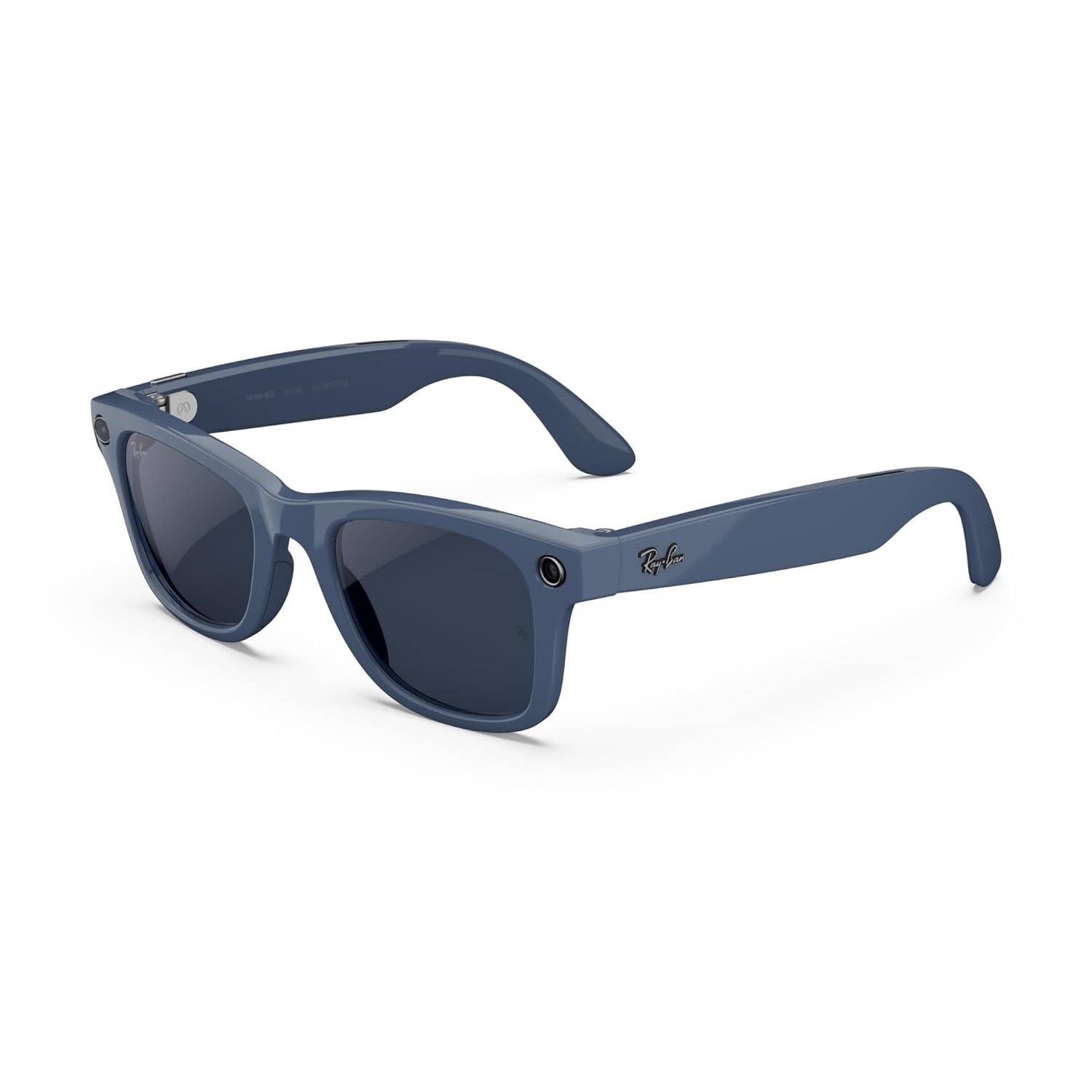
4. Ray-Ban Meta (Gen 2) Wayfarer — Best Eye-Level Capture Without a Rig
Price: $409 | Role: The camera nobody notices | Key spec: 3K ultrawide video to 60fps, up to 8 hours
The second-generation Ray-Ban Meta Wayfarer, announced at Meta Connect 2025, is the closest thing on this list to a camera that disappears. It looks like a pair of Wayfarers because it is a pair of Wayfarers, with an ultrawide camera shooting 3K Ultra HD at up to 60fps, open-ear speakers, microphones and a hands-free Meta AI assistant. Battery life reaches around eight hours of moderate use, with the charging case holding roughly another 48. Prescription and Transitions lenses are available, which is the detail that decides whether these belong in your everyday content creator essentials or in a drawer.
What it buys you is a shot nobody else on this page can get: true eye level, with no device between you and the person you are talking to. For travel, live events, walk-and-talks and anything where lifting a phone changes the behaviour of everyone around you, that is a real editorial advantage rather than a gimmick. The Live AI feature lets the assistant see through the camera and answer in conversation, and live translation handles a language barrier in real time. There is no in-lens display, so everything comes back as audio.
The compromises are honest ones. Eight hours is a best case that collapses if you actually record; battery life on camera glasses is a function of how much you use the camera. And these are, unavoidably, a recording device on your face in rooms where other people have not consented to being filmed — the capture LED exists for a reason, and covering it is a bad idea in every jurisdiction discussed later on this page. Treat the social cost as part of the price.
Best for: Travel and event creators who need both hands and a natural eyeline, and who already wear glasses and would rather these were the pair.
Skip if: You film mostly indoors at a desk, or you are uncomfortable with the etiquette of wearing a camera into other people’s conversations. The GO Ultra gives you similar hands-free capture with an LED you can point away from faces.
Read the full Ray-Ban Meta Gen 2 Wayfarer review →
Where to Buy — Ray-Ban Meta Gen 2 Wayfarer
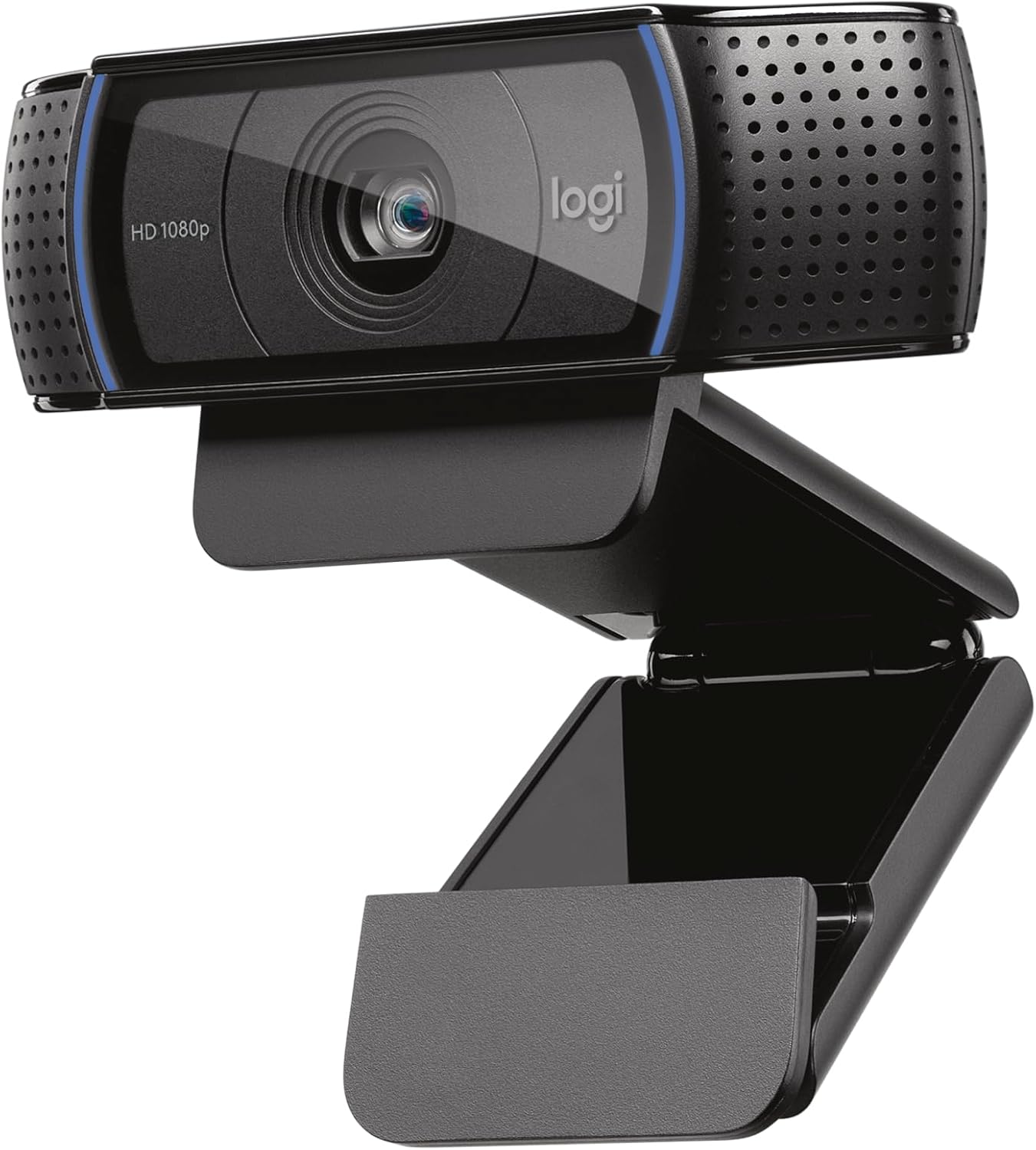
5. Logitech C920x HD Pro — Best Sit-Down Camera Under $100
Price: $59.99 | Role: The camera on top of the monitor | Key spec: 1080p30, five-element glass lens, H.264 encoding
A surprising share of the video people actually make is filmed sitting at a desk: tutorials, commentary, podcasts with a camera on, interviews conducted over a call and recorded at both ends. For that, a phone on a stand is worse than a webcam, because the phone is doing three other jobs and the webcam is already pointed at your chair. The C920x has been the default answer for years and remains it. Five-element glass — not the moulded plastic in cheap webcams — 1080p at 30fps, sub-second autofocus, and automatic light correction that rescues a face lit from behind by a window.
The specification that keeps it relevant is H.264 hardware encoding on the camera itself. Compression happens inside the webcam rather than on your processor, so an older laptop stays responsive while recording, and a stream does not compete with the game or the editor for CPU. Dual omnidirectional microphones flank the lens and are, for most calls, good enough to skip a separate mic entirely. Everything recognises it instantly over USB-A: Zoom, Teams, Meet, OBS, FaceTime.
It is 1080p and 30fps, and no amount of goodwill changes that. If you want 60fps for motion, or QHD for a facecam that shares the frame with high-resolution gameplay, look at the next entry. What the C920x offers instead is the least dramatic virtue in consumer technology: it works, on everything, first time, for about sixty dollars, and it has done so long enough that every piece of software you own has a driver for it. Among content creator essentials, that kind of boring reliability is badly underrated.
Best for: Anyone whose content is made sitting down. It is the highest-value item on this page and the one we would buy first with a small budget.
Skip if: You stream live and your facecam sits next to 1440p gameplay, or you need 60fps. That is the Kiyo V2 X below, for forty dollars more.
Read the full Logitech C920x review →
Where to Buy — Logitech C920x
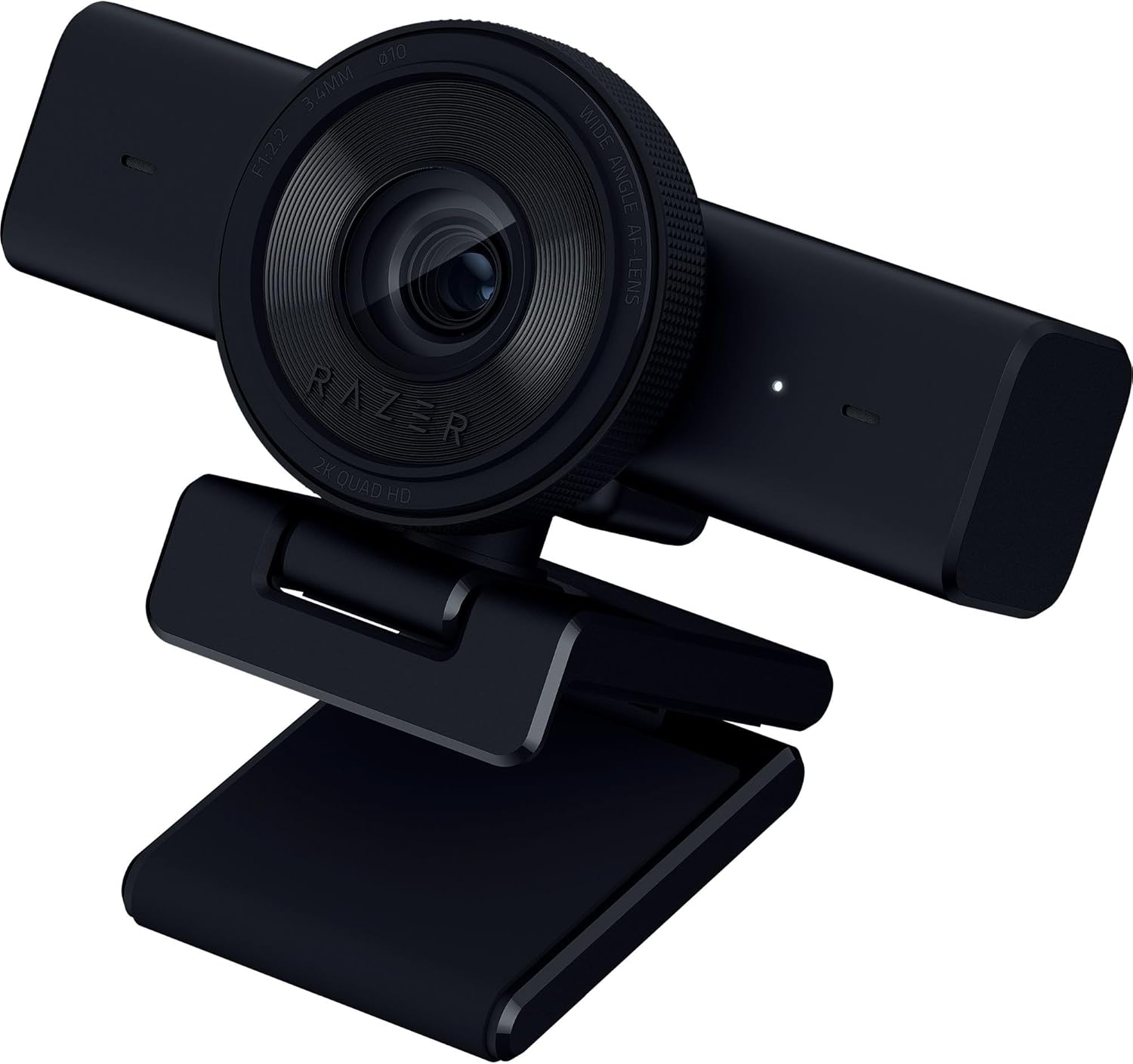
6. Razer Kiyo V2 X — Best Streaming Webcam for 1440p at 60fps
Price: $99.99 | Role: The live camera | Key spec: 1440p at 60fps, 80-degree field of view
Live is a different discipline from recorded, and it puts different demands on a camera. There is no second take, no colour grade and no chance to fix focus in the edit, and your face is usually a small window beside a much sharper game feed. The Kiyo V2 X answers that with QHD 1440p at 60fps for $99.99 — roughly 78 percent more pixels than 1080p, at double the frame rate of the C920x.
On a facecam that is scaled down anyway, the extra resolution shows up as cleanliness rather than detail, and the 60fps shows up as gestures that look like movement instead of stutter. Of all the content creator essentials here, this is the one that only makes sense if you go live.
The 80-degree field of view is wide enough to include a desk, a shelf and whatever lighting you have arranged behind you, which for a streamer is set dressing rather than clutter. If it is too wide, crop it in OBS. Focus can be automatic, tracking your face as you lean in and out, or locked manually so it never hunts during a three-hour session — though manual focus lives in Razer Synapse, which is Windows only. Mac users get plug-and-play video and no software controls at all.
The built-in stereo microphone records 16-bit/48kHz and is best understood as a backup: adequate, and immediately outclassed by any dedicated USB microphone or headset, which most streamers already own. Note too that a wider lens at f/2.2 needs more light than a narrower one; in a dim room the C920x’s light correction is the more forgiving camera. This is a camera for a lit desk, which is where live content is made anyway.
Best for: Streamers who want a visibly sharper facecam without crossing into the $150-plus 4K tier, and who run Windows so the manual focus lock is available.
Skip if: You are on a Mac and want manual focus, or you film in poor light. The C920x is cheaper and copes better with a dim room.
Read the full Razer Kiyo V2 X review →
Where to Buy — Razer Kiyo V2 X
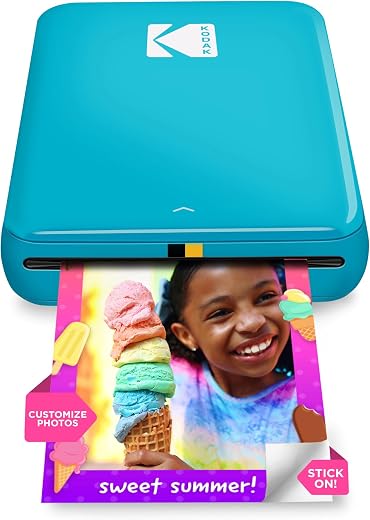
7. KODAK Step Instant Photo Printer — Best Way Off the Screen
Price: $79.99 | Amazon rating: 4.4 / 5 from 20,531 ratings | Role: Getting the work onto paper | Key spec: 2 x 3 in Zink sticky-back prints, 300 dpi
The seventh item is the only one that is not a camera, and it is here because of a problem every creator eventually runs into: everything you make lives inside a feed you do not own, and none of it exists in the physical world.
The KODAK Step prints 2 x 3 inch sticky-backed Zink photographs from a phone over Bluetooth or NFC, weighs under a pound, manages about 25 prints per charge and holds ten sheets at a time. Its 4.4-star average across more than 20,500 Amazon ratings makes it one of the most heavily reviewed devices in any category on this page. It is also the only one of these content creator essentials that produces something you can put in somebody’s hand.
Zink is a zero-ink process: the dye crystals are already in the paper, and the printer activates them with precisely controlled heat. There is no cartridge to dry out if it sits in a drawer for six months, nothing to run out mid-job, and prints emerge smudge-proof and water-resistant. For a creator the practical uses are more varied than the marketing suggests — thank-you cards in merchandise orders, props and set dressing that need to look printed, physical thumbnails for planning, stickers for events, and a giveaway that costs pennies and feels like an object.
Colour accuracy is the price. Zink output is punchy and slightly warm rather than photographically faithful, and shadow detail compresses. At 300 x 300 dpi on a 2 x 3 inch sheet this is not a portfolio printer and does not pretend to be. Running costs are per-sheet and add up if you print in volume, so treat it as an occasional tool rather than a daily one.
Best for: Creators who sell something, run events, or want their work to exist as an object rather than only as a file on somebody else’s server.
Skip if: You need accurate colour or anything larger than a credit card. This is a sticker printer with a photographic mode, not a photo lab.
Read the full KODAK Step review →
Where to Buy — KODAK Step
Content Creator Essentials — Buyer’s Guide: What to Look For
The five rules below are what we would tell a friend before they spent anything on content creator essentials. They are deliberately about sequencing and constraints rather than specifications, because the specification sheet is rarely where beginners go wrong.
Start With the Content Creator Essentials You Already Own
The first rule of buying content creator essentials is that the first purchase should almost never be a camera. If you own a phone made in the last three or four years, you own a camera good enough to build an audience on, and every hour spent learning it returns more than any accessory will. What you do not own is a way to see yourself while you film, a way to film with your hands full, or a way to keep a face lit and in focus at a desk. Those are the gaps worth paying to close.
This has a corollary that costs manufacturers money and will save you some. If you already have a recent flagship phone, skip the first entry on this list entirely. The Google Pixel 10 Pro is on this page because a phone belongs at the top of any honest list of content creator essentials, not because you should buy a second one.
Where the Camera Goes Matters More Than the Sensor
Compare two shots of the same thing: a phone propped on a shelf across the kitchen, and a 53-gram camera clipped to your shirt. The phone has the better sensor by a wide margin. The clipped camera has the better shot, every time, because it shows what your hands are doing from the angle you are doing it at. Position beats specification more often than any other trade-off in this category.
That is why this list contains three cameras that cost less than a phone and one that costs half of one. The Insta360 GO Ultra and the Ray-Ban Meta Gen 2 Wayfarer both exist to put a lens where a phone cannot go, and both make footage that a better camera in a worse place cannot match.
Content Creator Essentials That Need a Cable, and Ones That Do Not
Wireless is not automatically better and creators learn this the expensive way. A wireless monitor drops frames; a wired one does not. A wireless microphone needs pairing, batteries and a receiver; a cable needs a cable. The Snap Selfie Screen is wired precisely so that the mirrored preview is instant and never stutters, and that is a design decision rather than a cost saving.
Where wireless genuinely wins is where a cable would physically prevent the shot — a camera on your chest, glasses on your face. Apply that test to any accessory: does the cable stop the shot, or just annoy you? If it only annoys you, take the cable and the reliability that comes with it.
Battery Life Is the Real Spec on Wearable Content Creator Essentials
Every quoted battery figure for a wearable camera assumes you are not really using the camera. The Ray-Ban Meta glasses quote up to eight hours of moderate use, and moderate use means listening to music and asking the assistant questions, not recording. Recording is by far the most expensive thing these devices do, and a realistic filming day needs the charging case in your bag, not left at home.
The same asymmetry applies to a phone. Shooting 4K drains a battery and fills storage at rates that ordinary use never approaches, which is why a 128GB phone is a false economy for anyone filming daily, and why a power bank is a more useful accessory than a second lens.
The Content Creator Essentials We Deliberately Left Out
There is no ring light on this page, no tripod and no microphone, and the omissions are deliberate. A ring light produces the specific flat, doughnut-eyed look that reads instantly as amateur; a window at ninety degrees to your face is free and better. A tripod is worth owning but costs twenty dollars and requires no guidance from us. And a microphone is the one place we would break our own rule — audio matters more than video, and the biggest improvement available is free, which is to get the microphone closer to your mouth and to stop filming in rooms with hard parallel walls.
We have also left out lenses, gimbals and capture cards. All three are real tools with real uses, and none of them belongs in a first set of content creator essentials. If you have not yet run out of what a phone and a decent second angle can do, you are not being held back by a gimbal. One more omission worth naming: the Logitech Brio 101 is a fine budget webcam at around $36, but for content rather than meetings the C920x’s glass lens and hardware encoding are worth the difference.
US vs UK: What Changes When You Film for an Audience
This is the section most roundups skip, and it is the one that costs people money. Content creator essentials are broadly identical hardware on both sides of the Atlantic. Almost everything else — the electricity, the vocabulary, the disclosure rules, the tax thresholds — is not.
Content Creator Essentials Vocabulary: Gear vs Kit
An American creator buys gear and a British one buys kit, and the two words are close to interchangeable in meaning and completely different in search behaviour. If you are writing about content creator essentials for a British audience, “kit” is the natural word and “gear” reads as imported. The rest of the glossary follows the same pattern: cell phone and mobile, flashlight and torch, power strip and extension lead, math and maths, store and shop, vacation and holiday, movie and film, fall and autumn. Subtitles and thumbnails written in the wrong dialect are one of the quiet reasons a video underperforms in the market it was not written for.
There is one term that genuinely does not translate. American creators say “sponsored”; British ones must not, because the UK advertising regulator has ruled that word insufficient. More on that below, because it is a rule with teeth.
Why Content Creator Essentials Flicker at 50Hz and Not at 60Hz
Great Britain’s low-voltage supply is declared by regulation 27 of the Electricity Safety, Quality and Continuity Regulations 2002 as 230 volts at 50 hertz, with frequency permitted to vary by no more than one percent and voltage by ten percent above or six percent below. The United States runs at 120 volts and 60 hertz. That single difference is why footage shot on holiday sometimes has rolling dark bands through it that were not there at home.
Mains-powered lighting pulses at twice the supply frequency: 100 times a second in Britain, 120 in America. A shutter speed that is not a whole multiple of that pulse catches different parts of the cycle in different rows of the sensor, and you get banding. In practice: in the UK film at 25 or 50 frames per second with shutter speeds of 1/50 or 1/100; in the US film at 30 or 60 with 1/60 or 1/120. Most phones and action cameras carry an anti-flicker or “power line frequency” setting buried in the video menu, and setting it to match the country you are standing in is the single most valuable thirty seconds of setup on this page.
The legacy of that split is still visible in every editing timeline. Britain inherited 25 and 50fps from PAL; America inherited 29.97 and 59.94 from NTSC. Neither is better, but mixing them in one project produces judder that no amount of grading will hide, so pick one project frame rate before you shoot and make every camera match it.
Voltage, Plugs and Charging Your Content Creator Essentials Abroad
Every item on this page charges over USB-C or USB-A, and every USB power supply worth owning is rated 100–240V, which means a plug adapter is sufficient and a voltage converter is not needed. Check the small print on the charger itself rather than assuming. What does not travel is anything with a heating element or a motor, and what does not travel well is a British plug: BS 1363 plugs carry their own cartridge fuse, typically 3A or 13A, a safety feature no American plug has and one reason cheap travel adapters are worth avoiding.
Filming in Public: What the Law Actually Says
British creators are frequently told by security guards that they cannot film, and the guidance from the police says otherwise. The Metropolitan Police states plainly that “members of the public and the media do not need a permit to film or photograph in public places”, and that officers “do not have the power to delete digital images or destroy film at any point during a search”.
Deletion requires seizure and a court order. Section 44 of the Terrorism Act 2000 — the old blanket stop-and-search power — no longer exists; section 43 survives but requires reasonable suspicion of terrorism, and the Met’s own guidance says it would ordinarily be unlawful to use section 58A to arrest someone photographing officers going about normal policing, protests included.
Two caveats. Public place means public: a shopping centre, a station concourse and a museum are private property, and the owner can impose any filming condition they like and ask you to leave if you refuse. And the freedom to film is not a freedom to publish anything you like — harassment, defamation and data protection all still apply once the footage goes out. In the United States the equivalent protection is constitutional rather than administrative, and it is stronger in principle and more variable in practice from state to state, particularly where audio is involved.
Content Creator Essentials — Which One Should You Buy?
Three budgets, three sensible answers. Almost nobody should buy all seven; the point of organising content creator essentials by camera position is that you only need the positions your content actually uses.
Under $100: Content Creator Essentials on a Starter Budget
Buy the Logitech C920x at $59.99 and stop. It is the best value on this page by a distance, it works with every application you own, and if your content is made sitting down it will improve your output more than anything else at this price. If you stream live and can stretch to $99.99, the Razer Kiyo V2 X is the same idea at 1440p and 60fps. The Insta360 Snap Selfie Screen at $89.99 also lands in this tier and is the right pick if you talk to camera on a compatible iPhone rather than at a desk.
$100 to $450: Content Creator Essentials for Getting Serious
This is where you buy a second angle. The Ray-Ban Meta Gen 2 Wayfarer at $409 is the choice if you make things out in the world — travel, events, walking commentary — and want an eyeline nobody reacts to. The KODAK Step at $79.99 is a smaller, stranger purchase that pays for itself the first time you ship something physical to a viewer. Both assume you already have a working primary camera; neither is a first buy.
Over $450: Content Creator Essentials When It Is the Job
At the top of the range the Insta360 GO Ultra at $449.99 is the specialist worth owning if your subject is a process and your hands are always in the shot. Above that, the Google Pixel 10 Pro at $915 makes sense only as a phone replacement you were making anyway — buy it when your contract is up, not because it is on a list of content creator essentials. If you are choosing between the GO Ultra and the glasses, the deciding question is whether your audience needs to see your hands or your view.
Beyond the Content Creator Essentials: the Rules That Apply the Moment You Post
Cameras are the easy part. The moment a video earns anything — money, a free product, a commission on a link — a set of rules attaches to it, and those rules are meaningfully different in the two markets most English-language creators serve. This section is the researched core of this content creator essentials guide, and every claim in it is linked to a primary source at the foot of the page.
Disclosure: #ad in Britain, “Clear and Conspicuous” in America
Both countries require you to tell people when content is advertising. They disagree about how.
In the UK the Advertising Standards Authority applies section 2 of the CAP Code, which requires that marketing communications be “obviously identifiable as such”. The ASA has gone further than most regulators in specifying the actual words. Acceptable: Ad, Advert, Advertising, Ad Feature, Advertisement Feature. Explicitly not acceptable: “Sponsored”, “Supported by”, “Funded by”, “Gifted”, “In association with”, “#BrandAmbassador”, and abbreviations such as “aff”, “sp” or “spon”.
A disclosure in your bio does not cover an individual post, a discount code is not a disclosure, tagging the brand is not a disclosure, and a label hidden behind “see more” does not count because the viewer must see it before clicking. Affiliate links are squarely in remit: if you earn commission, it is an ad, and the brand is generally jointly responsible whether or not it approved the post.
In the US the FTC Endorsement Guides at 16 CFR Part 255 take the opposite approach: no prescribed wording, but a demanding standard for how the disclosure behaves. Section 255.0(f) defines “clear and conspicuous” as a disclosure that is “difficult to miss (i.e., easily noticeable) and easily understandable by ordinary consumers” — visual claims need visual disclosures, audible claims need audible ones, both need both, and in interactive media the disclosure must be unavoidable.
Section 255.5 requires disclosure of any connection that “might materially affect the weight or credibility of the endorsement” and is not reasonably expected by the audience. Material connections include payment, employment, family and personal relationships, free or discounted products — even unrelated ones — early access, and the chance of winning a prize.
The practical upshot for anyone posting to both markets: use the word Ad, put it at the front of the caption and say it out loud in the video. That satisfies the British rule on wording and the American rule on prominence simultaneously, and nothing shorter satisfies both.
Reviews: Two New Rulebooks in Two Years
Both countries rewrote their review rules recently, and both aimed them at the same behaviour. Both matter to anybody who reviews content creator essentials in public, because a product roundup is precisely the format the two regulators had in mind.
The FTC’s Consumer Reviews and Testimonials Rule took effect on 21 October 2024. It bans writing, creating or buying reviews you know to be false — explicitly including AI-generated ones and influencer posts — conditioning payment on a review expressing a particular sentiment, undisclosed reviews by insiders and their relatives, company-controlled sites that pose as independent, suppressing reviews through legal threats or intimidation, and buying fake followers or engagement. Courts can impose civil penalties for knowing violations.
The UK equivalent arrived on 6 April 2025 with the consumer provisions of the Digital Markets, Competition and Consumers Act 2024, and the CMA’s guidance of 4 April 2025 spells it out. Banned: a review that “purports to be, but is not, based on a person’s genuine experience”; concealed incentivised reviews; publishing reviews in a way that suppresses genuine ones or cherry-picks; and offering services that procure such reviews. Where an incentivised review is allowed at all, the CMA says the reviewer must “label the review prominently as incentivised, namely, as an advert”, and “the label should not have an ambiguous meaning”. Platforms carrying reviews must take reasonable and proportionate steps to detect and remove fakes.
Copyright: Fair Use vs Fair Dealing
American creators grow up with fair use and assume it exists everywhere. It does not, and the difference is structural rather than cosmetic.
The US doctrine is open-ended. The US Copyright Office sets out the four statutory factors under section 107 — purpose and character of the use including whether it is transformative, the nature of the work, the amount and substantiality taken, and the effect on the market — and states flatly that “there is no formula to ensure that a predetermined percentage or amount of a work — or specific number of words, lines, pages, copies — may be used without permission”. Any use can in principle qualify if the factors favour it.
The UK has no fair use. It has fair dealing, which applies only within a closed list of purposes set out in the government’s guidance on exceptions to copyright: non-commercial research and private study, text and data mining for non-commercial research, criticism, review and reporting current events, quotation, parody, caricature and pastiche, illustration for instruction, accessible copies for disabled people, and time-shifting a broadcast for personal use.
If your use is not on that list, fair dealing does not help you however transformative it is. Note also that photographs are excluded from the news-reporting exception. Within a listed purpose the test is the same open-ended one — the guidance says it “will always be a matter of fact, degree and impression in each case” — and, as in America, there is no safe percentage. The widely repeated belief that a few seconds of music is automatically fine is false in both countries.
Tax: A £1,000 Threshold Against a $20,000 One
This is the sharpest divergence of the lot, and the one most likely to catch a hobbyist out.
HMRC’s guidance for content creators sets a trading allowance of £1,000 per tax year, combined across every side hustle rather than counted per stream. Above that you must register for Self Assessment, by 5 October following the end of the tax year. Crucially, gifted products count. HMRC is explicit that “you must include the value of any gifts or services you received from promoting products online. That’s because these count as income.” A creator sent £1,200 of content creator essentials for review and paid nothing in cash has still crossed the threshold. HMRC’s own worked example combines £700 of brand payments, £300 of product value and £200 of ad revenue into £1,200 of reportable income.
In the United States the corresponding trigger is far higher. Under the One Big Beautiful Bill, the IRS has confirmed that third-party settlement organisations need not file a Form 1099-K unless payments to a payee exceed $20,000 and more than 200 transactions — a retroactive reversion to the pre-2021 rule, set out in Fact Sheet 2025-08 on 23 October 2025. That is a twentyfold difference in when a platform reports you. The trap is that the reporting threshold is not the taxable threshold: US income is taxable whether or not a form is issued, so the higher number describes the paperwork, not the liability.
Privacy: When Your Content Creator Essentials Stop Being a Hobby
Filming other people is where wearable content creator essentials get complicated. In the UK, the Information Commissioner’s Office confirms that “personal data processed in the course of a purely personal or household activity, with no connection to a professional or commercial activity, is outside the UK GDPR’s scope” — taking photos for your own enjoyment is simply not regulated. The words that matter are “no connection to a professional or commercial activity”. The moment your channel carries advertising, affiliate links or sponsorship, that connection exists, and footage of identifiable strangers stops being a household activity and starts being processing you have to justify.
This is the reason the capture LED on camera glasses is not decorative, and why covering it is a bad idea whichever country you are in. It is also a good argument for the GO Ultra over the Ray-Ban Meta glasses in crowded places: a camera clipped to your chest can be pointed at the thing you are making, whereas a camera on your face points at whoever you are talking to.
Filming Children
If children appear in or watch your content, a further layer applies. The FTC finalised amendments to the COPPA Rule on 16 January 2025, requiring separate verifiable parental consent before a child’s data is disclosed to third parties for targeted advertising, limiting retention to only as long as reasonably necessary for the stated purpose, and expanding the definition of personal information to include biometric and government-issued identifiers. It applies to services directed at children under 13, which in practice includes a great deal of family content.
The audience side is worth a number. Ofcom’s research published on 30 July 2025 found YouTube is the second most-watched service in the UK behind only the BBC and ahead of ITV, at an average of 39 minutes a day per person across all devices, 16 of those minutes on a television set — and that one in five children aged 4 to 15 go straight to YouTube as soon as the TV is switched on. Creator video is not a niche competing with broadcast; in Britain it is broadcast’s nearest rival, which is precisely why the regulation keeps arriving.
Content Creator Essentials — Frequently Asked Questions
What are the most important content creator essentials for a complete beginner?
A phone you already own, a way to see yourself while filming, and a window. In purchased terms that is the Snap Selfie Screen if you film handheld, or the C920x if you film at a desk. Everything else on this page assumes you have already run out of what those can do.
Are phone-based content creator essentials enough, or do I need a dedicated camera?
A phone from the last three or four years is enough to build an audience on, and it belongs at the centre of your content creator essentials rather than at the edge. The reasons to add a dedicated camera are positional — you need a lens somewhere a phone cannot go — or practical, such as needing to shoot for hours without draining the device you also take calls on.
Why does my video have dark bands rolling through it?
You are filming under mains-powered lighting at a shutter speed that does not divide into the supply frequency. In the UK, where mains runs at 50Hz and lights pulse at 100Hz, use 1/50 or 1/100 and shoot 25 or 50fps. In the US, at 60Hz and 120Hz, use 1/60 or 1/120 and shoot 30 or 60fps. Most cameras also have an anti-flicker or power-line-frequency setting.
Are these content creator essentials available in the UK?
Yes. Every model here is sold on Amazon.co.uk as well as Amazon.com, though pricing differs and UK prices include VAT while US shelf prices do not. Our links are US affiliate links; search the same product name on the UK store. Chargers are all 100–240V, so a plug adapter is enough.
What do I legally have to say when a video is sponsored?
In the UK, use “Ad” — the ASA has ruled that “Sponsored”, “Gifted”, “In association with” and abbreviations like “sp” or “aff” are not sufficient, and a disclosure in your bio does not cover an individual post. In the US the FTC prescribes no wording but requires the disclosure to be unavoidable and in the same medium as the claim. Saying “Ad” at the start of the caption and out loud satisfies both.
Do free products count as income?
In the UK, unambiguously yes. HMRC counts the value of gifts and services received for promoting products as income against the £1,000 trading allowance. In the US, income is taxable regardless of whether a platform issues a Form 1099-K, and the 1099-K reporting threshold has reverted to $20,000 and more than 200 transactions.
Can I use a few seconds of a song under fair use?
Not reliably, and in the UK not at all in that form. The US Copyright Office says there is no set number of words, lines or seconds that is automatically safe. The UK has no fair use doctrine; it has fair dealing, which only applies within a closed list of purposes such as quotation, criticism, review and parody. Licensed music libraries are cheaper than the alternative.
Which of these content creator essentials is the best value?
The Logitech C920x at $59.99. It is the cheapest item that meaningfully changes how your work looks, it needs no software, and it has been supported by every platform for long enough that compatibility is a non-issue. The KODAK Step is the best value non-camera on the page.
Is it legal to film strangers in public?
In the UK the Metropolitan Police confirm that no permit is needed to film or photograph in public places and that officers cannot delete images without a court order. But shopping centres, stations and museums are private property with their own rules, and once your channel is commercial, filming identifiable people stops being a purely household activity for data-protection purposes.
How many of these content creator essentials should I buy at once?
One. Buy the item that removes the constraint currently stopping you, use it for a month, and see what the next constraint turns out to be. The commonest expensive mistake in this category is buying a full kit before you know which format you actually make.
Content Creator Essentials — Final Thoughts
The seven products on this page have almost nothing in common as objects. A $915 phone sits next to a $60 webcam and a pocket printer. What holds the list together is that each one solves the same underlying problem from a different position: you are one person, and the camera needs to be somewhere you cannot be while also being in front of it. Once you see the category that way, the shopping decision becomes much easier, because you are no longer comparing sensors. You are asking where the shot needs to come from, and buying the cheapest reliable thing that puts a lens there. That is the whole logic of this content creator essentials list.
The second thing worth carrying away is that the hardware is the settled part. Cameras are cheap, good and broadly identical in both markets; the rules governing what you do with the footage are neither settled nor identical, and three of them changed within the last two years. A British creator crosses a reporting threshold at £1,000 including free products, where an American one crosses at $20,000.
The word “Sponsored” is fine in one country and specifically ruled insufficient in the other. Fair use exists on one side of the Atlantic and simply does not on the other. Get the content creator essentials right and you will make better video; get those four facts right and you will keep what it earns.
Sources and Further Reading
- ASA / CAP — Recognising ads: social media and influencer marketing
- ASA — Updated guidance for influencer marketing
- Competition and Markets Authority — CMA208 Fake reviews guidance (4 April 2025)
- eCFR — 16 CFR Part 255, FTC Guides Concerning Use of Endorsements and Testimonials
- Federal Trade Commission — The Consumer Reviews and Testimonials Rule: Questions and Answers
- Federal Trade Commission — FTC finalizes changes to the Children’s Privacy Rule (16 January 2025)
- GOV.UK / Intellectual Property Office — Exceptions to copyright
- U.S. Copyright Office — Fair Use Index
- HMRC — Tax rules for content creators
- Internal Revenue Service — Form 1099-K threshold reverts to $20,000 (Fact Sheet 2025-08)
- Metropolitan Police — Photography advice
- Information Commissioner’s Office — A guide to the data protection exemptions
- Ofcom — Tuning into YouTube: the UK’s media habits revealed (30 July 2025)
- legislation.gov.uk — Electricity Safety, Quality and Continuity Regulations 2002, reg. 27
Affiliate disclosure: SoftPickr is a participant in the Amazon Services LLC Associates Program. Links in this content creator essentials guide are affiliate links, and we may earn a commission on qualifying purchases at no additional cost to you. Prices shown were correct at the time of writing and change frequently. This does not affect our scores, which are assigned before any link is added.