Most technology round-ups are written as if you were furnishing an empty house. You are not. You already own a phone, you already own headphones, and the question in front of you is narrower and harder: which two or three devices, added to what you already carry, would actually change how a normal week goes? That is the question this everyday tech essentials guide answers. The seven everyday tech essentials below were each chosen for a different job, and every one of them has a full review on this site behind it.
There is a deliberate shape here. One device is the hub — your phone — and the other six exist because of something the phone cannot do on its own: track your heart while you sleep, record hands-free while you are holding a coffee, show you what the rear camera sees while you film yourself, sit on a desk for a two-hour call, or turn a photograph into something you can stick in a journal. We have skipped laptops, headphones and chargers, because those are separate decisions with separate guides, and we have included honest reasons to skip every single product on the list.
Prices and links below go to Amazon.com. If you are reading from the UK, the same models are sold on Amazon.co.uk, and searching the exact model name there will find them — but the price you see will already include VAT, the consumer law protecting the purchase is completely different, and in one part of the UK the charging port is regulated in a way it is not anywhere in the United States. There is a full US versus UK section further down covering all of it, because for this category the differences are unusually large.
Everyday Tech Essentials — Quick Comparison
All seven everyday tech essentials at a glance, ordered by the job each one does rather than by price. Click a product name to jump to its full entry below.
| # | Product | Role | Key spec | Best for | Price | Score |
|---|---|---|---|---|---|---|
| 1 | Apple iPhone 17 Pro Max | The hub | 6.9in 120Hz OLED, A19 Pro, three 48MP cameras, up to 39h video | Photographers and video creators who want one device to do everything | $1,308.34 | 9.2 |
| 2 | Google Pixel 10 Pro | The compact alternative | 6.3in LTPO OLED, Tensor G5, 5x telephoto, 7 years of updates | Buyers who want flagship cameras and AI in a phone they can use one-handed | $915.00 | 9.0 |
| 3 | Apple Watch Series 11 | The wrist | Up to 24h battery, hypertension notifications, sleep score, 5G | iPhone owners who want continuous health tracking rather than another screen | $329.00 | 9.0 |
| 4 | Ray-Ban Meta (Gen 2) Wayfarer | Hands-free capture | 3K Ultra HD video, up to 8h battery, 48h charging case, open-ear audio | Creators and travellers who want to record without holding a phone up | $409.00 | 8.7 |
| 5 | Razer Kiyo V2 X | The desk camera | 1440p at 60fps, 80-degree FOV, physical privacy shutter, 1/4in thread | Streamers and hybrid workers who want a sharper facecam without paying 4K prices | $99.99 | 8.2 |
| 6 | Insta360 Snap Selfie Screen | Filming yourself | 3.5in touchscreen, 4K mirroring, magnetic mount, adjustable fill light | Solo creators who film themselves on a phone and want the rear lenses | $77.86 | 7.9 |
| 7 | KODAK Step Instant Photo Printer | Physical output | 2x3in Zink sticky-back prints, 300 dpi, Bluetooth and NFC, ~25 prints per charge | Anyone whose photos never leave the camera roll | $79.99 | 8.0 |
The 7 Best Everyday Tech Essentials in 2026
Seven products, seven different jobs. Each entry below gives the SoftPickr expert score, the specification that matters, who it is for and — just as importantly — who should skip it. Every one of these everyday tech essentials has been reviewed in full on this site, and each entry links to that review.
1. Apple iPhone 17 Pro Max — Best Hub for Everyday Tech Essentials
Price: $1,308.34 | Role: The hub | Key spec: 6.9in 120Hz OLED, A19 Pro, three 48MP cameras, up to 39h video
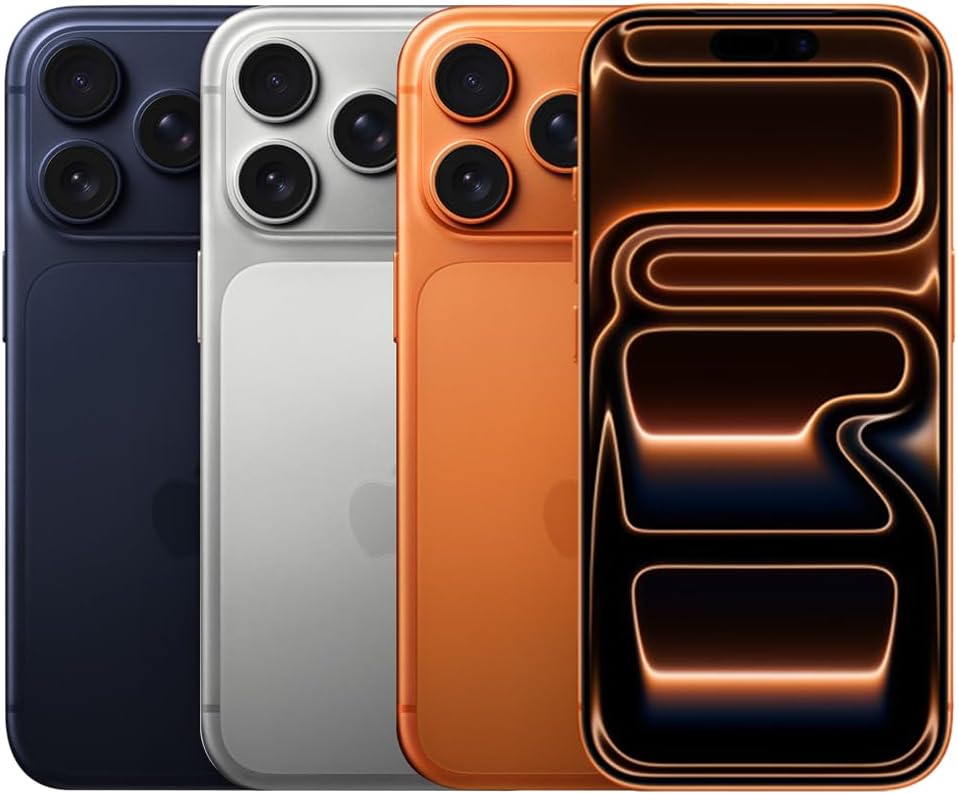
Every other device in this everyday tech essentials roundup is defined by its relationship to a phone, which is why the phone is the first decision and not the last one. The iPhone 17 Pro Max is the most capable version of that decision Apple currently sells: a 6.9-inch Super Retina XDR OLED running at 2868 by 1320 pixels, ProMotion scaling to 120Hz, a rated 3000-nit outdoor peak and an A19 Pro chip with a six-core CPU, six-core GPU and a 16-core Neural Engine sitting under a vapour chamber built into the aluminium unibody.
The camera system is the reason most buyers pay the premium. Three 48MP sensors cover main, ultra-wide and telephoto duties, with up to 8x optical-quality zoom and 40x digital, and an 18MP Center Stage front camera that reframes itself. Apple rates the battery at up to 39 hours of local video playback and up to 35 hours streamed, which in practice means this is the only phone here that a heavy shooting day does not flatten. With a 40W or higher USB-C adapter it reaches roughly 50 percent in 20 minutes, though the adapter is sold separately.
The compromises are physical and financial rather than technical. At 233 grams it is a heavy phone before you add a case, the 6.9-inch body is genuinely awkward for one-handed use, and the price sits at the very top of the market. The vapour chamber matters most to people who sustain load — long gaming sessions, ProRes exports, hours of 4K capture — and if that is not you, the standard iPhone 17 or the smaller Pro deliver most of the same experience for meaningfully less money.
Best for: Photographers, mobile filmmakers and anyone who wants maximum battery endurance and up to 2TB of storage in a single device they will keep for four or five years.
Skip if: You use your phone mainly for messaging, social apps and casual photos, or you dislike large phones — 233 grams and a 6.9-inch body is a genuine daily commitment, and the standard iPhone 17 costs far less.
Read the full iPhone 17 Pro Max review →
Where to Buy — iPhone 17 Pro Max
2. Google Pixel 10 Pro — Best Compact Flagship for One-Handed Use
Price: $915.00 | Role: The compact alternative | Key spec: 6.3in LTPO OLED, Tensor G5, 5x telephoto, 7 years of updates
The Pixel 10 Pro is the answer to the most common complaint about flagship phones, which is that they have become too big to use with one hand. It packs a 6.3-inch LTPO OLED that scales from 1Hz to 120Hz and peaks at 3300 nits into a 207-gram body, then fits a 50MP main, 48MP ultra-wide and 48MP 5x telephoto around it. The Tensor G5 is the first Pixel chip built by TSMC on a 3nm process, paired with 16GB of RAM and the Titan M2 security chip.
Google’s argument is that intelligence beats raw speed. Tensor G5 runs the newest Gemini Nano model on-device, which drives Camera Coach for framing guidance and Magic Cue for contextual suggestions — features many rivals push to the cloud. The more durable advantage is support: up to seven years of operating system and security updates, which is the single most valuable specification on this page and the reason a Pixel bought today is still a supported phone in 2033.
The honest weaknesses are speed-related. The 4870mAh battery charges at 30W wired and 15W Qi2 wireless, both modest against Chinese flagships that fill in half the time, and no charger is included. Benchmarks trail the fastest Snapdragon devices, though almost nobody notices that in daily use. Storage starts at 128GB with no card slot, which is tight if you shoot a lot of video.
Best for: Photography enthusiasts who want 5x optical zoom and class-leading computational processing without carrying a 233-gram phone, and anyone who values a seven-year support window.
Skip if: You want the fastest charging or the highest benchmark scores, or you shoot enough 4K video that a 128GB base model with no card slot will fill up within a year.
Read the full Pixel 10 Pro review →
Where to Buy — Pixel 10 Pro
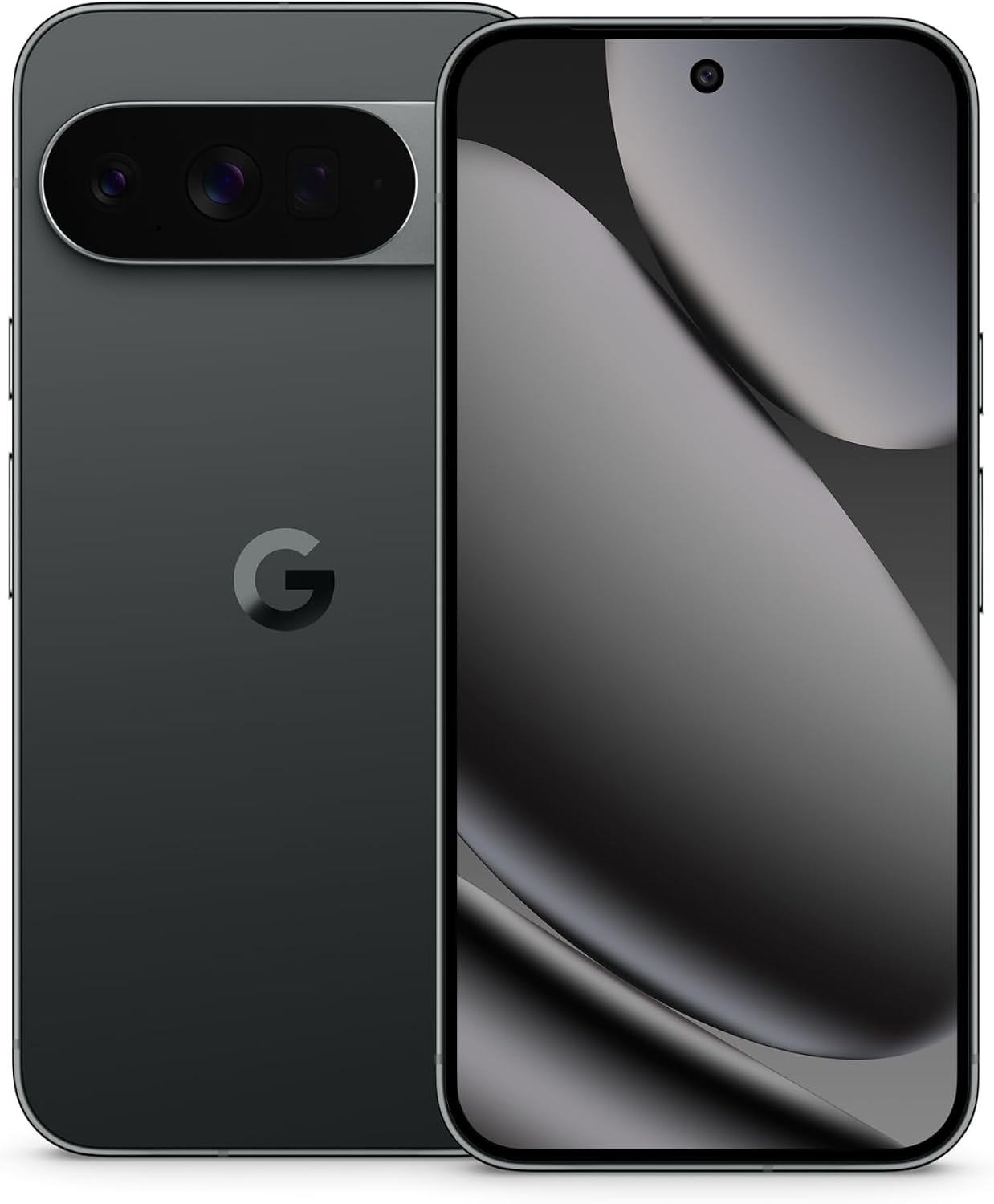
3. Apple Watch Series 11 — Best Wrist Device in an Everyday Tech Essentials Kit
Price: $329.00 | Role: The wrist | Key spec: Up to 24h battery, hypertension notifications, sleep score, 5G
A smartwatch earns its place among everyday tech essentials only if it does something the phone in your pocket cannot, and the Series 11 makes that case on health rather than notifications. It carries two heart sensors, ECG, blood oxygen and wrist temperature sensing, and adds two genuinely new features: hypertension notifications, which analyse 30 days of optical heart sensor data to flag possible signs of chronic high blood pressure, and a sleep score that rates each night out of 100 on duration, consistency, interruptions and stage distribution.
The practical upgrades matter more than the spec sheet suggests. Battery life moves to a rated 24 hours of normal use and up to 38 hours in low power mode, with 8 hours restored from a 15-minute charge — the difference between a watch you can wear overnight for sleep tracking and one you cannot. The Ion-X cover glass is twice as scratch-resistant as the Series 10, cellular models add 5G, and it keeps WR50 water resistance with IP6X dust ingress protection.
Apple is careful about what the health features claim, and so are we. Hypertension notifications need a 30-day calibration period before they activate, they are designed to flag a possible pattern rather than diagnose anything, and Apple states that clearance from the FDA and other regulators was expected around launch. Treat any alert as a prompt to see a clinician, not a blood pressure reading. The watch also only works properly with an iPhone.
Best for: iPhone owners who will actually wear it to bed, want a long-run view of heart and sleep patterns, and value 24-hour battery life over a redesign.
Skip if: You own a Series 9 or Series 10 — the design, panel brightness and pixel density are carried over, and watchOS 26 brings many of the software features to older watches anyway. Android users should not buy it at all.
Read the full Apple Watch Series 11 review →
Where to Buy — Apple Watch Series 11
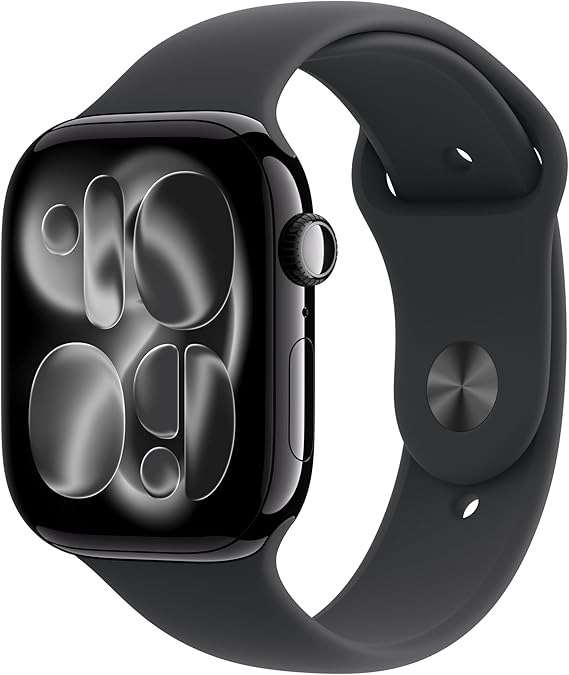
4. Ray-Ban Meta (Gen 2) Wayfarer — Best Hands-Free Capture Device
Price: $409.00 | Role: Hands-free capture | Key spec: 3K Ultra HD video, up to 8h battery, 48h charging case, open-ear audio
The second-generation Wayfarer fixes the two things people complained about in the first: the camera now shoots 3K Ultra HD at up to 60fps, and battery life is rated at up to eight hours of moderate use with a further 48 hours in the USB-C charging case. Everything else is deliberately unchanged — an ultra-wide camera and open-ear speakers hidden in a frame that still reads as a pair of Ray-Bans from two feet away, with photo, video, hyperlapse and slow-motion modes on a temple button.
What makes them useful is not the camera but the absence of a phone in your hand. Hands-free Meta AI answers questions by voice, Live AI lets the assistant see what you are looking at and hold a running conversation about it, and live translation converts speech in supported languages in near real time. Prescription and Transitions lenses are available, which is what separates these from a novelty: they can be the only glasses you own.
Two caveats deserve more weight than the marketing gives them. Battery figures collapse under heavy recording or continuous AI use, so the case is not optional on a long day. And there is no in-lens display — every piece of information arrives as audio, which is fine for a translation and useless for a map. Onboard storage is limited, low-light footage cannot match a modern phone, and the capture indicator light exists because recording people has rules that vary by country and, in the United States, by state.
Best for: Travellers and creators who want point-of-view footage and an AI assistant they can use with both hands full, and who will genuinely wear a Wayfarer frame every day.
Skip if: You expect a heads-up display, you want to record for hours without docking the case, or you are uncomfortable with the social and legal questions that a camera on your face raises in shared spaces.
Read the full Ray-Ban Meta Gen 2 review →
Where to Buy — Ray-Ban Meta Gen 2
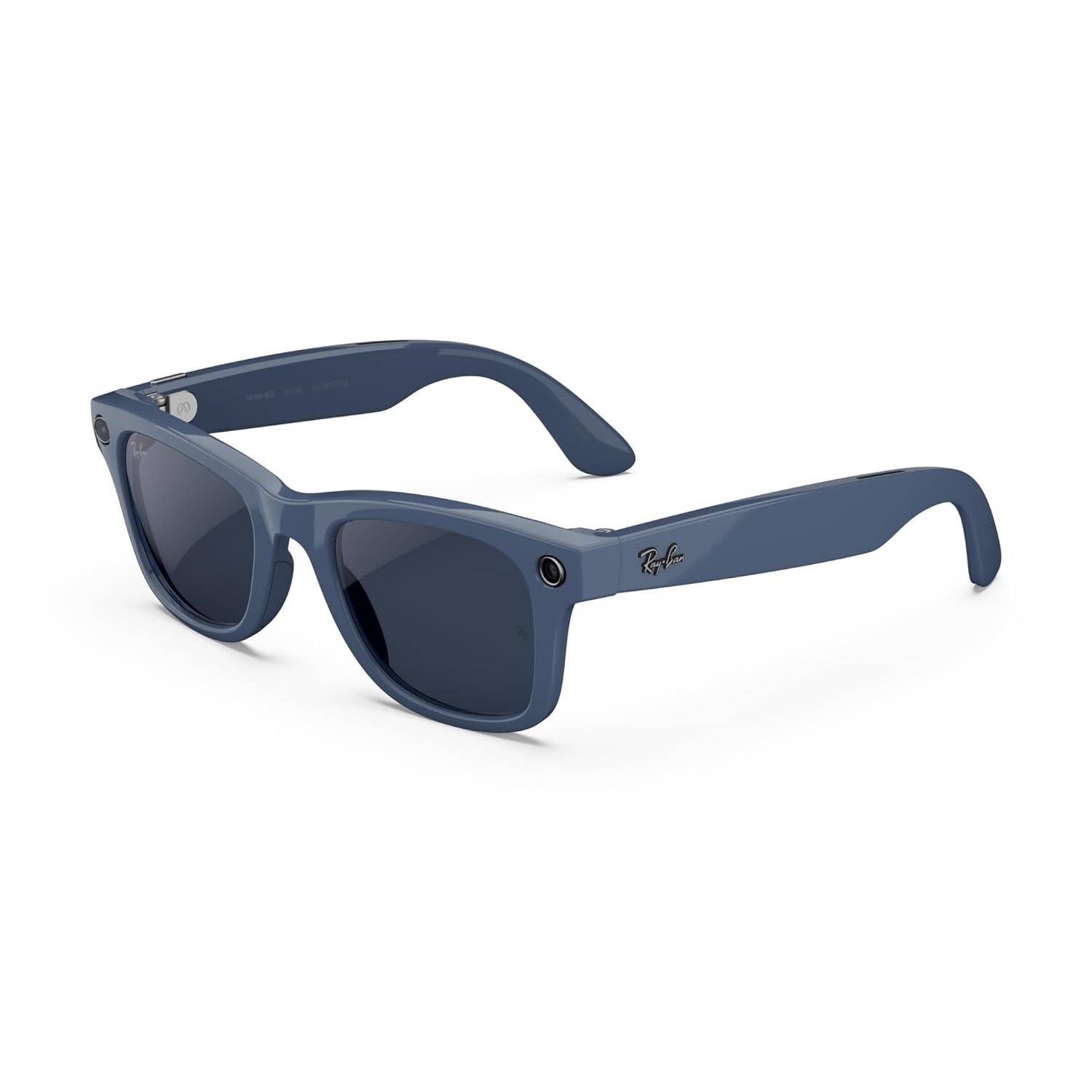
5. Razer Kiyo V2 X — Best Desk Camera for Calls and Streaming
Price: $99.99 | Role: The desk camera | Key spec: 1440p at 60fps, 80-degree FOV, physical privacy shutter, 1/4in thread
A phone is a better camera than any webcam, and yet almost nobody props one up for a two-hour team call, which is why everyday tech essentials still include a desk camera. That gap is why a dedicated desk camera still belongs in this list. The Kiyo V2 X captures 2560 by 1440 at 60fps — roughly 78 percent more pixels than 1080p — through a 3.7MP sensor with an f/2.2 aperture and an 80-degree field of view, which is wide enough to show a desk setup rather than just a face.
The details that matter day to day are the unglamorous ones. There is a physical privacy shutter built into the housing, an L-shaped clip mount plus a 1/4-inch tripod thread for arms and rigs, an omnidirectional stereo microphone at 16-bit/48kHz, and both autofocus and manual focus, the latter locked in via Razer Synapse so the camera stops hunting every time you lean forward. It works with OBS, Streamlabs, Discord, Zoom, Teams and Meet, and carries a two-year limited warranty.
The limitations are clear and worth knowing before you buy. The 1/3-inch sensor is weak in dim rooms — without a key light you will see grain — the cable is a fixed 1.5-metre USB-A lead rather than USB-C, and Synapse’s advanced controls are Windows-only, so Mac owners lose manual focus and presets entirely. At $99.99 it also sits right where budget 4K webcams now live, so the real question is whether 1440p at 60fps beats 4K at 30fps for what you film.
Best for: Twitch and YouTube streamers, Discord hosts and anyone on video calls all day who wants noticeably sharper motion than a 1080p30 webcam delivers, on a lit desk.
Skip if: You work on a Mac and want manual focus, your room is dim and you will not add a light, or your ports are all USB-C — this camera ends in a permanently attached USB-A plug.
Read the full Razer Kiyo V2 X review →
Where to Buy — Razer Kiyo V2 X
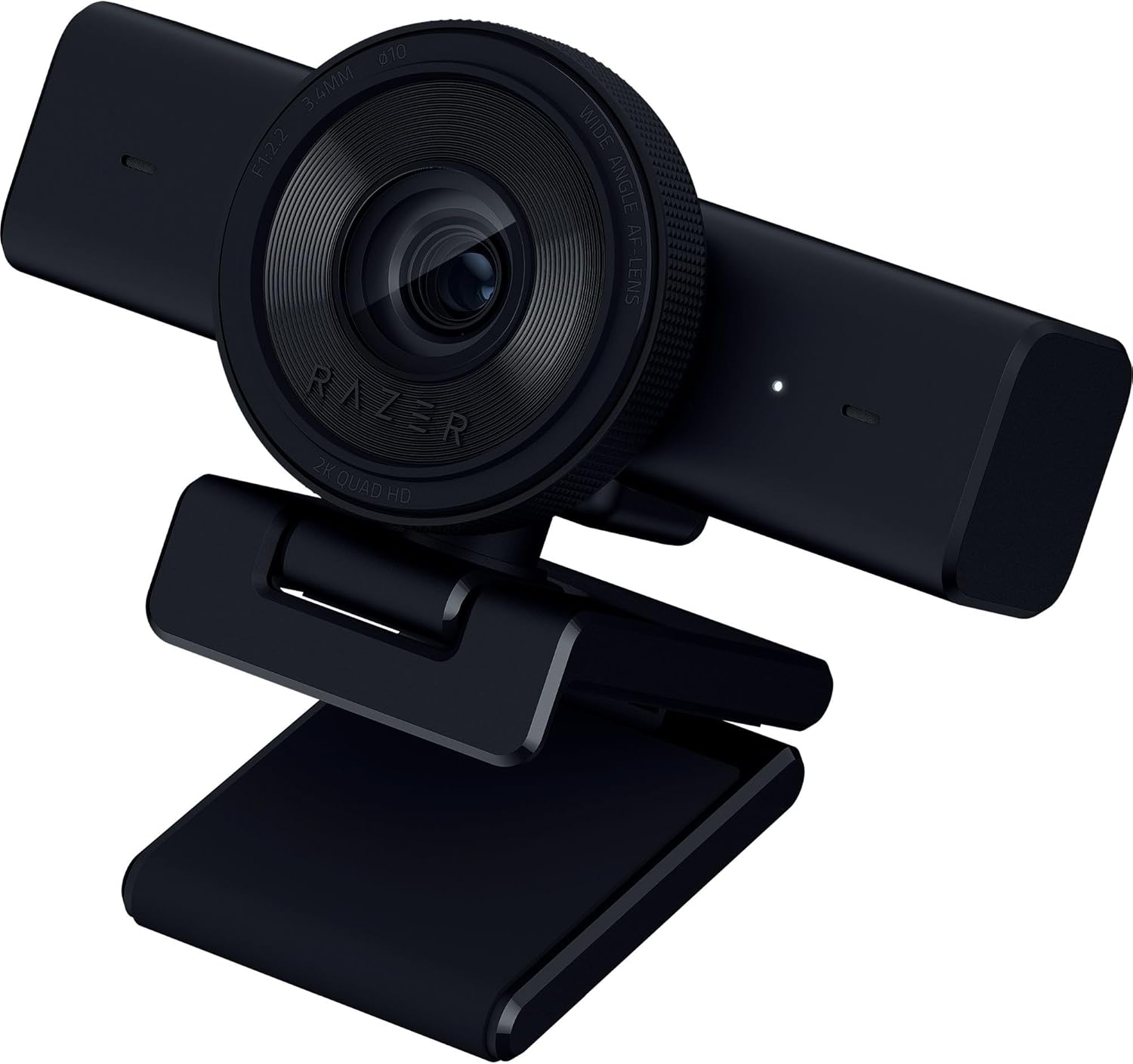
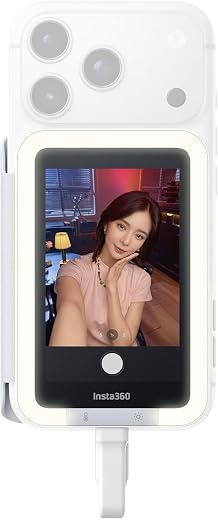
6. Insta360 Snap Selfie Screen — Best Fix for the Front Camera Problem
Price: $77.86 | Amazon rating: 4.1 / 5 from 439 ratings | Role: Filming yourself | Key spec: 3.5in touchscreen, 4K mirroring, magnetic mount, adjustable fill light
Here is a problem worth twenty dollars a year to a lot of people shopping for everyday tech essentials: the best camera on your phone points away from you, and the one pointing at you is not as good. The Snap is a 3.5-inch touchscreen that clips magnetically to the back of a compatible phone and mirrors the rear camera feed in real time, so you can frame, focus and check exposure while shooting selfie-style on the good lenses.
It is more than a mirror. The screen is a touchscreen, so you can tap to focus and change settings without reaching around the back of the phone, and a built-in adjustable light fills shadows for indoor filming — the single most requested feature in this accessory category. It weighs 50 grams, connects over USB-C, and setup is genuinely plug-and-play: attach, connect, and the mirror appears.
Compatibility is the catch and it is a big one. The Snap works with iPhone 15 and later, excluding the 16e, 17e and iPhone Air, and with USB-C Android phones that support DisplayPort Alt Mode — a specification most buyers have never heard of and many mid-range phones do not implement. It is also wired, which is one more cable in a rig that people buy accessories to simplify. Its 4.1-star average across 439 ratings reflects exactly that split between people it fits and people it does not.
Best for: Solo vloggers and social creators on a recent iPhone who want rear-camera footage of themselves without buying a second camera or a full rig.
Skip if: Your phone is older than an iPhone 15, or it is an Android device you cannot confirm supports DisplayPort Alt Mode over USB-C — in that case this is an expensive paperweight.
Read the full Insta360 Snap review →
Where to Buy — Insta360 Snap
7. KODAK Step Instant Photo Printer — Best Way to Get Photos Off Your Phone
Price: $79.99 | Amazon rating: 4.4 / 5 from 20,531 ratings | Role: Physical output | Key spec: 2x3in Zink sticky-back prints, 300 dpi, Bluetooth and NFC, ~25 prints per charge
Six of the everyday tech essentials on this page capture, display or process images. This is the only one that gets them out of the phone, which is why it closes the list. The KODAK Step prints 2 by 3-inch Zink photos at 300 by 300 dpi with a peel-off sticky back, connects over Bluetooth or NFC to any iOS or Android phone, holds ten sheets, weighs under a pound and manages roughly 25 prints per charge.
Zink is the reason it stays cheap to own. There is no cartridge, ribbon or toner: the paper itself contains layers of colourless dye crystals that heat pulses activate to produce cyan, magenta and yellow. Nothing dries out if the printer sits in a drawer for six months, there is no cleaning cycle, and the only consumable is paper. That makes running costs trivially easy to predict — you buy packs of paper and that is the entire cost of ownership.
Quality expectations for these cheaper everyday tech essentials need setting honestly. Zink prints are small, contrast-heavy and not archival-grade; they are for journals, fridges, cards and scrapbooks, not for framing. Colour accuracy trails a dye-sublimation printer, and at 300 dpi across two inches you should not expect fine detail. But 4.4 stars from more than 20,500 buyers is one of the largest verified samples of any device on this page, and it says the thing works as described.
Best for: Scrapbookers, journallers, teachers and parents — anyone who wants a handful of physical photos a week without a cartridge to buy or a cleaning cycle to run.
Skip if: You want photo-lab quality, larger prints or archival permanence; a dye-sublimation printer or a print service will serve you far better for anything you intend to frame.
Read the full KODAK Step review →
Where to Buy — KODAK Step

Everyday Tech Essentials — Buyer’s Guide: What to Look For
The specifications that decide whether you are happy in three years are rarely the ones printed largest on the box. These are the five that matter when you are choosing everyday tech essentials, in roughly the order they should influence your decision.
Software support length beats every other everyday tech essentials specification
Everyday tech essentials stop being usable when they stop receiving security updates, not when they feel slow. That makes the support window the most valuable number on any spec sheet, and it is the one buyers most often ignore. The Pixel 10 Pro promises up to seven years of operating system and security updates; Apple does not publish a fixed figure but has historically supported iPhones for a comparable span.
Seven years of updates on a $915 phone works out cheaper per supported year than four years on a $600 phone. If you keep devices until they die rather than trading up annually, this single number should probably decide your purchase, and it is now regulated in part of the world — the European Union requires at least five years of updates on new smartphones, a rule covered in detail below.
Battery endurance in everyday tech essentials, and the charger that is no longer in the box
Rated battery figures for everyday tech essentials are measured under laboratory conditions that do not resemble your day, so read them comparatively rather than literally. The iPhone 17 Pro Max’s rated 39 hours of local video playback does not mean 39 hours of use; it means considerably more endurance than a phone rated at 25 hours under the same test.
Two practical points follow. First, almost no flagship ships with a charger any more, so budget for a 40W or higher USB-C adapter if you want the quoted fast-charge times. Second, charging speed and battery capacity are separate specifications — the Pixel 10 Pro pairs a healthy 4870mAh cell with modest 30W charging, which is fine if you charge overnight and frustrating if you charge in fifteen-minute bursts.
Sensor size matters more than resolution in every camera you buy
Resolution sells cameras; sensor size determines whether the picture is any good in a dim room. This is the clearest lesson across the everyday tech essentials on this page. The Razer Kiyo V2 X shoots a sharp 1440p at 60fps in good light and produces visible grain in a badly lit room, because its sensor is one third of an inch across. A phone with a physically larger sensor will beat it in the dark at lower resolution every time.
The practical rule: if you are choosing between more pixels and a bigger sensor at the same price, take the bigger sensor unless you know your subject is always brightly lit. And if you buy a small-sensor camera anyway, buy a light with it — adding illumination is far cheaper than adding sensor area.
Compatibility traps in everyday tech essentials that are invisible until the box is open
Everyday tech essentials fail more often on compatibility than on quality. The Insta360 Snap needs an iPhone 15 or later, or an Android phone with DisplayPort Alt Mode over USB-C — a specification most product pages never mention and many mid-range phones do not support. The Razer webcam ends in a permanently attached USB-A plug, which is a problem on a laptop that only has USB-C. The Apple Watch is functionally useless without an iPhone.
Before you buy any accessory to sit alongside your everyday tech essentials, check three things: the physical port, the protocol running over that port, and the operating system requirement for any companion software. The Razer’s advanced controls are Windows-only, which means a Mac owner buys the same hardware with fewer features.
Buy everyday tech essentials for a job, not for a category
The most useful discipline when assembling everyday tech essentials is to write down the job before you look at products. “I film myself talking, alone, indoors” leads to a rear-camera monitor and a light. “I want to know why I feel tired” leads to a watch worn overnight. “I take photos my parents will never see” leads to a pocket printer.
Buying by category instead — “I should get a smartwatch” — is how people end up with a drawer of devices that solved nobody’s problem. Every product below is listed with the job it does in the comparison table, and if none of those jobs is yours, the honest answer is that you do not need any of them.
US vs UK: What Changes When You Buy Everyday Tech Essentials
This is the category where the two markets diverge most, and not in the ways people expect. The hardware is nearly identical; the price you see, the rights you have when it breaks, the port it charges through and even the radiation figure printed in the manual are all different. If you are shopping for everyday tech essentials from the UK using an American guide, these are the six things that will trip you up.
The price on the label means two different things for everyday tech essentials
In the UK, the Price Marking Order 2004 defines the selling price shown to consumers as “the final price to be paid for a unit of a product, or a given quantity of a product, including VAT and all other taxes”, and requires traders to display exactly that. A £1,199 phone costs £1,199 at the till, with the standard 20 percent VAT already inside that number.
American shelf prices work the opposite way. Sales tax is added at checkout, it is set at state and often city level, and there is no federal sales tax at all — so the $1,308.34 next to a phone is a floor, not a total. When you compare US and UK prices for the same everyday tech essentials, you are comparing a pre-tax number with a post-tax one, and the gap is usually much smaller than the raw figures suggest.
What happens when it breaks is not remotely comparable
The UK’s Consumer Rights Act 2015 gives buyers a 30-day short-term right to reject faulty goods for a full refund. After that window, the consumer need only accept one repair or replacement before moving to the final remedies of price reduction or rejection and refund, and the trader’s ability to make a “deduction for use” is restricted within the first six months. This applies to the retailer, not the manufacturer, and it is statutory — no shop can opt out of it.
There is no federal American equivalent covering everyday tech essentials bought in an ordinary shop. The FTC’s Cooling-Off Rule gives three business days to cancel, but only for sales over $25 made away from the seller’s permanent place of business — door-to-door sales and similar — and explicitly not for goods bought in a store. Everything else is the retailer’s own returns policy plus the manufacturer’s warranty. The Razer webcam’s two-year limited warranty is a company promise; the British 30-day right to reject is law.
One part of the UK has a charging port law, and the rest does not
This is the strangest split in the whole category. Under the Radio Equipment (Amendment) (Northern Ireland) Regulations 2024, common charger requirements apply in Northern Ireland via the Windsor Framework: phones, tablets, cameras, headphones and speakers sold there must charge over USB-C, with the rule effective from 28 December 2024 and laptops following on 28 April 2026. Great Britain adopted no such requirement, and neither did the United States.
In practice every one of the everyday tech essentials on this page already charges over USB-C, so nobody is inconvenienced. The point is directional: a shopper in Belfast is buying under EU device rules, a shopper in Birmingham is not, and a shopper in Boston has no charging mandate at all.
The same phone has two different radiation numbers
Specific Absorption Rate is where identical hardware produces incompatible figures. The FCC requires mobile phones sold in the United States to comply with an SAR of 1.6 watts per kilogram averaged over one gram of tissue. The UK follows ICNIRP guidance, implemented through the 1999 EU Council Recommendation and enforced by Ofcom licence conditions, where the localised limit for head and trunk is 2 W/kg averaged over any 10 grams of contiguous tissue.
Different limit, different averaging mass, different test — which means a US SAR figure and a UK one for the same handset cannot be compared, and neither number ranks phones by safety. Both regimes are pass/fail compliance thresholds, not scores.
The network under your phone is at a different stage
American carriers shut down their 3G networks in 2022. In the UK, Ofcom confirms 3G networks are now switched off, with 2G to follow — EE from May 2029, O2 from summer 2029, Vodafone during 2030, and all operators required to finish by 2033. If you are buying a phone to last five years on either side of the Atlantic, VoLTE support over 4G is the specification that decides whether it can still make a call at the end of that period.
Roaming diverged too. Since January 2021 UK operators have not been legally required to offer surcharge-free EU roaming, and EE, Vodafone and Three reintroduced charges while O2 did not. The old £45 data cap expired on 30 June 2022. Ofcom’s current rules require providers to alert you automatically when you start roaming, publish their charges, help with inadvertent roaming near borders and support monthly spend limits.
Vocabulary, and why UK searches for everyday tech essentials return different products
The words for everyday tech essentials differ enough to break a search. Americans buy a cell phone from a carrier on a plan, or prepaid; Britons buy a mobile from a network on a contract, or pay as you go and SIM only. A flashlight app is a torch, the metal is aluminum or aluminium, and a zip code field wants a postcode. Searching Amazon.co.uk for “cell phone accessories” returns a fraction of what “mobile phone accessories” returns.
Power differs as well, though less than people fear. The US runs 120V at 60Hz on Type A and B plugs; the UK runs 230V at 50Hz on fused Type G. Every charger among these everyday tech essentials is a 100–240V USB-C unit, so a plug-shape adapter is all that travels — but a cheap 120V-only accessory bought in the States will not survive a British socket.
Everyday Tech Essentials — Which One Should You Buy?
Three realistic budgets for everyday tech essentials, and what we would actually buy at each. Note that the cheapest tier here contains the two products with the highest satisfaction rates on the page, which is not a coincidence — the everyday tech essentials that solve a specific irritation tend to please people more than the ones that promise everything.
Under $200: the highest satisfaction per dollar
Start with the KODAK Step instant photo printer at $79.99 and the Insta360 Snap Selfie Screen at $77.86. Neither is glamorous, both fix a concrete, daily annoyance, and together they cost less than a fifth of the phone at the top of this list. If you are on a lit desk and taking calls all day, the Razer Kiyo V2 X at $99.99 belongs here too — a sharper facecam for under a hundred dollars is the easiest upgrade on this page.
$200 to $500: the wearables tier
The Apple Watch Series 11 at $329 is the pick if you already own an iPhone and will genuinely wear it overnight; hypertension notifications and a sleep score are only worth anything if the watch is on your wrist at 3am. The Ray-Ban Meta (Gen 2) Wayfarer at $409 is the pick if you capture more than you measure — and it is the only product here that replaces something you already own, namely your sunglasses.
Above $900: the hub decision
Two genuinely excellent phones sit at the top of these everyday tech essentials, with two different philosophies. The Google Pixel 10 Pro at $915 is the compact, one-handed choice with 5x optical zoom and up to seven years of updates. The Apple iPhone 17 Pro Max at $1,308.34 is the maximal choice: bigger screen, three 48MP cameras, sustained performance under load and the longest battery life in Apple’s line-up. Buy the Pixel if you want a camera you can operate with one hand; buy the iPhone if you shoot for hours and edit on the device.
How Long Everyday Tech Essentials Actually Last — Updates, Batteries and Repair
The most expensive mistake in this category is not buying the wrong device, it is replacing the right one too early. Three things end the life of everyday tech essentials — software support stops, the battery degrades, or a repair costs more than a replacement — and all three are now partly regulated. Here is what the rules and the physics actually say, because it changes which everyday tech essentials are worth paying more for.
Five years of updates and seven years of parts, by law in the EU
Since 20 June 2025, EU ecodesign and energy labelling rules for smartphones and tablets require manufacturers to provide operating system and security updates for at least five years from the date the last unit of a model is sold, to supply key spare parts within 5–10 working days for at least seven years after the model stops being sold, and to build batteries capable of at least 800 charge cycles while retaining 80 percent of their original capacity.
The rules also add a repairability class from A to E on the energy label, alongside battery endurance and resistance to dust, water and accidental drops. There is no equivalent federal requirement for everyday tech essentials in the United States, and Great Britain did not adopt these rules either — though Northern Ireland does follow EU goods rules under the Windsor Framework. It is the clearest example of the same product carrying different obligations in three markets.
What 800 cycles actually means for your battery
A charge cycle is a full 0–100 percent of capacity, not a plug-in event, so topping up from 60 to 100 percent four times equals roughly one and a half cycles. For most people that works out at somewhere between 300 and 400 cycles a year. An 800-cycle battery holding 80 percent capacity therefore describes a phone that should still hold four fifths of its original charge after roughly two years of heavy use or three of lighter use.
That number is why the Apple Watch’s move to a rated 24 hours matters more than it sounds. A device that needs charging twice a day burns through cycles at double the rate of one that needs charging once, so battery capacity does not just buy convenience — it buys years.
Health features in everyday tech essentials are screening tools, not medical devices
The Series 11’s hypertension notifications are the most consequential feature among these everyday tech essentials and the most easily misread. The watch analyses 30 days of optical heart sensor data before the feature activates, and it is designed to flag a possible pattern of chronic high blood pressure, not to measure blood pressure. Apple stated at launch that clearance from the FDA and other regulators was expected, and rolled the capability out across more than 150 countries including the US, EU and UK.
The correct response to an alert is to see a clinician and have a cuff-based measurement taken. The correct response to no alert is not reassurance — a screening tool that misses something is behaving normally, not lying. The same applies to sleep scores, blood oxygen and ECG: useful for spotting trends over months, not for diagnosing anything on a Tuesday.
The regulatory shift that will change UK phones before US ones
On 22 October 2025 the UK’s Competition and Markets Authority designated Apple and Google as having Strategic Market Status in mobile platforms under the Digital Markets, Competition and Consumers Act 2024. For Apple the designation covers iOS and iPadOS, native app distribution through the App Store, and the Safari browser and WebKit engine.
Designation itself changes nothing overnight — it gives the CMA the power to impose conduct requirements and pro-competition interventions, with early work on app store steering, NFC access and interoperability. But it means that over the next few years British owners of these everyday tech essentials are likely to see app store and browser changes that American owners will not, from the same devices bought at the same time.
Buy the everyday tech essentials that outlive the phone
One practical conclusion for everyday tech essentials follows from all of this. Accessories tied to a specific phone generation — magnetic monitors, port-dependent cameras, proprietary connectors — inherit that phone’s lifespan and often expire sooner. Accessories that are independent of it survive several handsets: a printer that talks Bluetooth to anything, a webcam with a tripod thread, glasses that are also just glasses.
When two products do a similar job, the one with the looser coupling to your current phone is usually the better long-term purchase, even if it is slightly worse today.
Everyday Tech Essentials — Frequently Asked Questions
What counts as everyday tech essentials in 2026?
Practically, everyday tech essentials are the devices you touch most days that would genuinely disrupt your week if they vanished: a phone, something on your wrist or face that captures or measures, a camera for calls, and whatever gets your photos out of the camera roll. Everything else — a second charger, a spare cable, a stand — is useful, but replaceable at any supermarket.
Do I need both a smartwatch and smart glasses in my everyday tech essentials?
No, and buying both is the most common overspend in this category. They do opposite jobs: a watch measures you continuously and passively, glasses capture the world in short bursts and actively. Decide which of those two you actually want, buy that one, and revisit the other in a year.
Is the iPhone 17 Pro Max worth $400 more than the Pixel 10 Pro?
Only for sustained work. If you shoot long video, export on the device or game for hours, the vapour chamber and A19 Pro justify the gap. For photography, messaging and general use the Pixel 10 Pro’s compact body and seven-year support window make it the better value, and it is materially easier to hold.
Will these products work if I buy them from the UK?
The hardware is the same, but buy your everyday tech essentials locally rather than importing them. Amazon.co.uk stocks all seven model families, UK prices include VAT, and a UK purchase carries Consumer Rights Act protection that an import does not. Importing also complicates warranty service and can add customs charges that erase any saving.
Why do UK and US listings show different SAR values for the same phone?
Because the tests differ. The FCC limit is 1.6 W/kg averaged over one gram of tissue; ICNIRP’s limit, followed in the UK, is 2 W/kg averaged over ten grams. A larger averaging mass smooths peaks, so the numbers are not comparable. Neither figure ranks phones by safety — both are compliance thresholds a device either meets or does not.
How long will everyday tech essentials bought today keep getting updates?
The Pixel 10 Pro is promised up to seven years of OS and security updates. In the EU, ecodesign rules set a floor of five years from the last sale of a model, and require spare parts availability for seven years. Neither the US nor Great Britain has an equivalent legal minimum, so on this side of the Atlantic the manufacturer’s promise is all you have.
Do I need a light with a webcam?
If the webcam in your everyday tech essentials has a small sensor, yes. The Razer Kiyo V2 X uses a one-third-inch sensor, which is sharp in good light and grainy in a dim room. A basic key light costs less than $40 and improves the picture more than upgrading from 1440p to 4K would.
Are pocket printers expensive to run?
They are the cheapest consumable story in imaging. Zink printers like the KODAK Step have no cartridge at all — the dye crystals are inside the paper — so the entire running cost is the paper pack, and nothing dries out between uses. The trade-off is print quality: small, contrasty and not archival.
Is it legal to record people with camera glasses?
It depends where you are standing. The glasses include a capture indicator light precisely because recording rules vary by country, and in the United States by state — several states require all parties to consent to an audio recording. Treat them as a camera, not as glasses, and do not record where you would not raise a phone.
Which of these everyday tech essentials should I buy first?
Whichever one matches a problem you had this week. If your video calls look poor, the webcam. If you film yourself alone, the selfie screen. If you never look at your photos, the printer. If you keep wondering why you are tired, the watch. Buy one, use it for a month, then decide whether the next one is really necessary.
Everyday Tech Essentials — Final Thoughts
Two phones, a watch, a pair of glasses, two cameras and a printer is not a shopping list of everyday tech essentials — it is a menu of seven distinct jobs, and most readers need one or two of them. The pattern worth taking away from this guide is that the cheapest items on the page score highest for satisfaction per dollar, because they were bought to fix something specific, while the most expensive ones are bought to be everything and are judged accordingly. If a device on this list does not map onto a sentence starting “I keep wishing I could…”, it is not an essential for you, whatever it is for someone else.
The other conclusion is that the longevity of everyday tech essentials is now a specification you can read rather than a hope. Support windows are published, EU rules put floors under updates, spare parts and battery cycles, and the products that survive several phone generations are usually the loosely coupled ones. Buy for the job, check the support window before the benchmark, and prefer the accessory that will still work with your next phone — that is how a set of everyday tech essentials stays useful long enough to be worth the money.
Sources and Further Reading
- The Price Marking Order 2004 — legislation.gov.uk (definition of “selling price” as including VAT and all other taxes).
- Faulty goods, digital content and services — House of Commons Library briefing on Consumer Rights Act 2015 remedies.
- Cooling-Off Rule for sales made at home or other locations — US Federal Trade Commission.
- The Radio Equipment (Amendment) (Northern Ireland) Regulations 2024 — legislation.gov.uk (common charger requirements).
- New EU rules for durable, energy-efficient and repairable smartphones and tablets — European Commission.
- Cell phones and Specific Absorption Rate and RF Safety FAQ — US Federal Communications Commission.
- Council Recommendation 1999/519/EC — basic restrictions including localised SAR of 2 W/kg averaged over 10 g.
- Electromagnetic fields: policies and regulations — GOV.UK, on ICNIRP guidelines and the Ofcom licence condition.
- Switching off the UK’s 2G and 3G mobile networks — Ofcom.
- Mobile roaming in the EU after Brexit — House of Commons Library, and roaming alerts for UK holidaymakers — Ofcom.
- Apple’s mobile platform: Strategic Market Status investigation — Competition and Markets Authority, GOV.UK.
- Apple debuts Apple Watch Series 11 — Apple Newsroom.
Disclosure: this article contains affiliate links. If you buy through them we may earn a commission at no additional cost to you. Prices and availability were correct at the time of writing and can change; confirm the current price and model on the retailer’s page before ordering.